Outer OfficeBusiness Solutions
Projects

Selected Work & Custom Systems

A selection of live projects and interactive demos, each planned, designed, written, and built end-to-end through Outer Office. ← Back to the main page

Event Registration & Check-In

Event Registration & Secure Check-InLive site

Illumination Station VBS

Four nights, 16 classrooms, families and volunteers registering in very different ways, and one thing that could never go wrong: a child leaving with the wrong adult. The goal: one connected system from the first sign-up to the last pickup.

Start at the event site

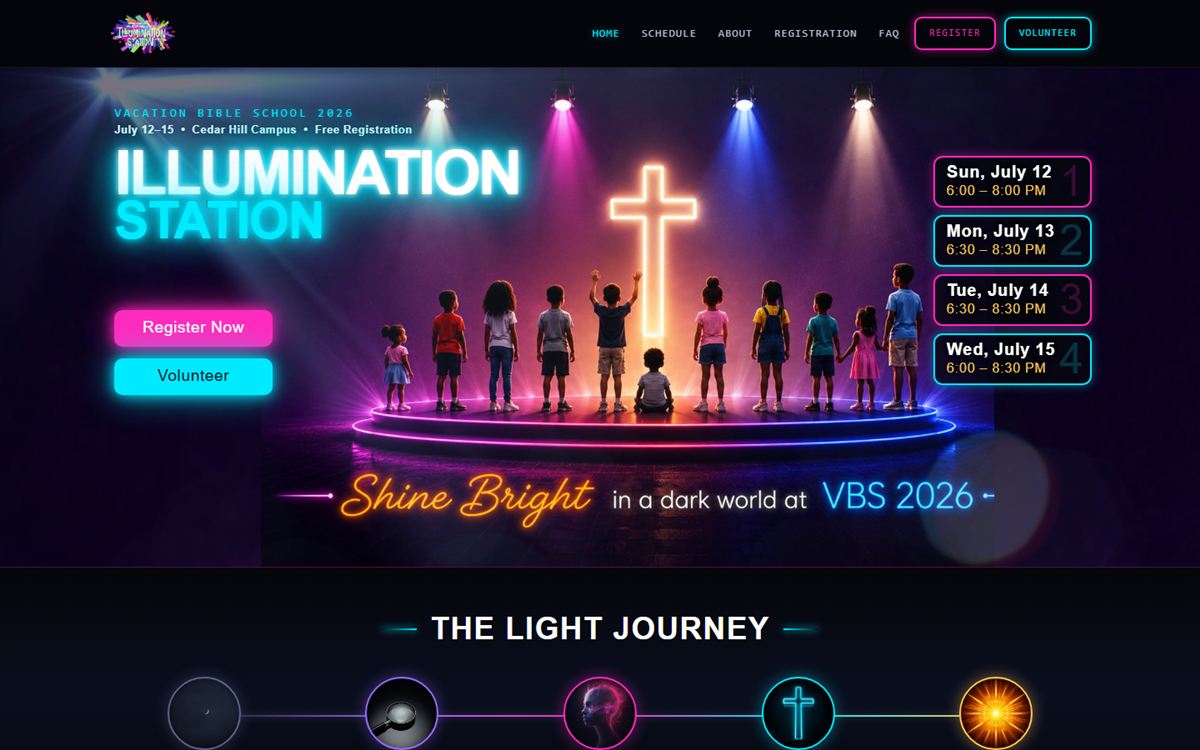
Families find everything in one place: the four nights, the schedule, and one button to register or volunteer.
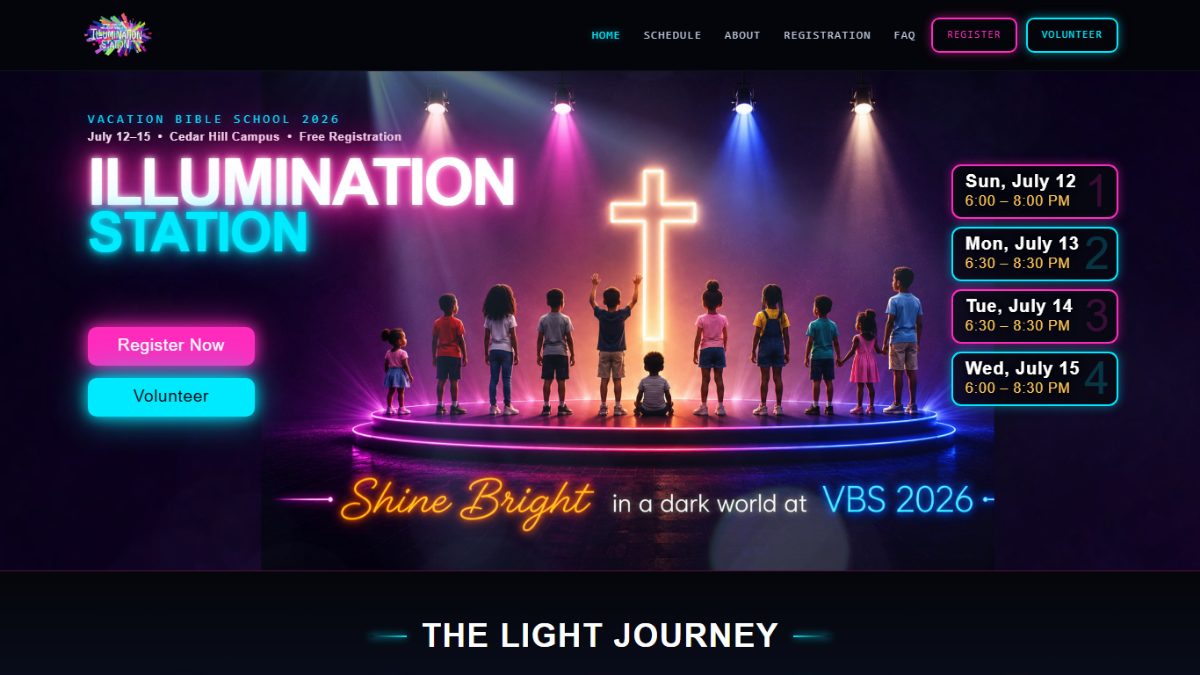
2026cmbcvbs.com
Illumination Station VBS home page with Register Now and Volunteer buttons
Step 1 of 6
Before

Register families and volunteers

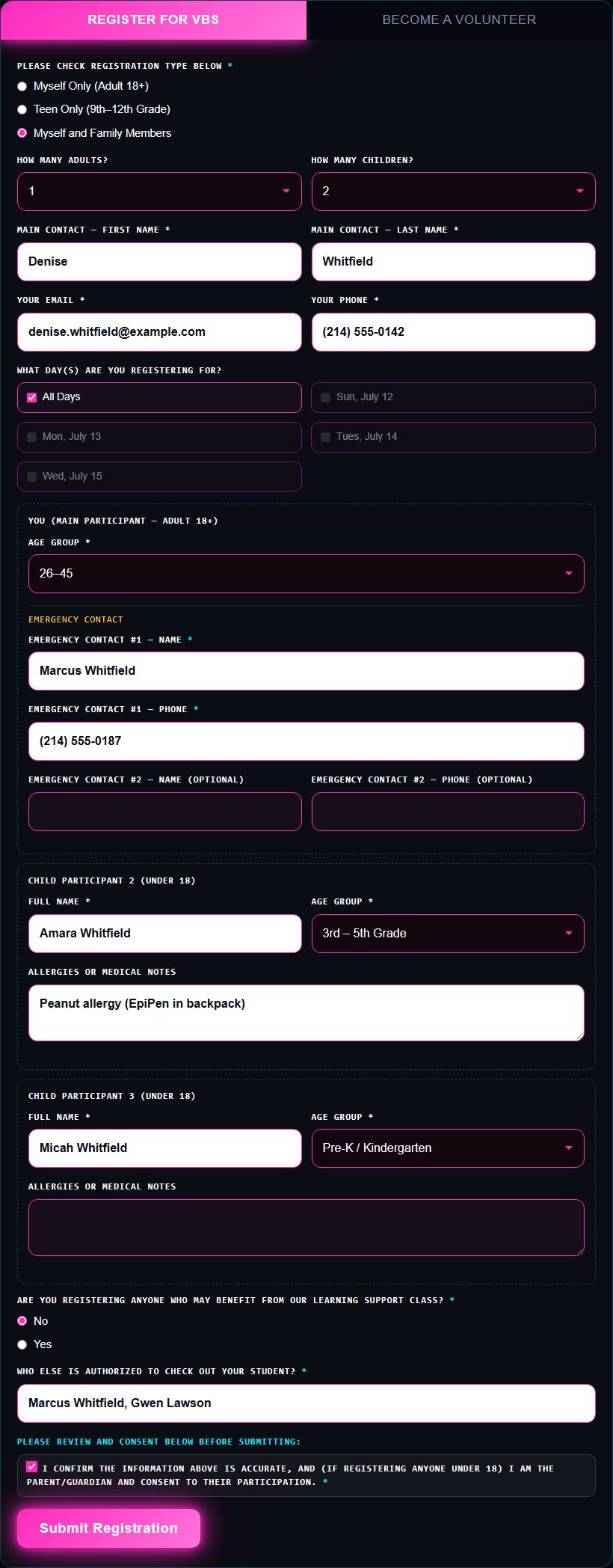
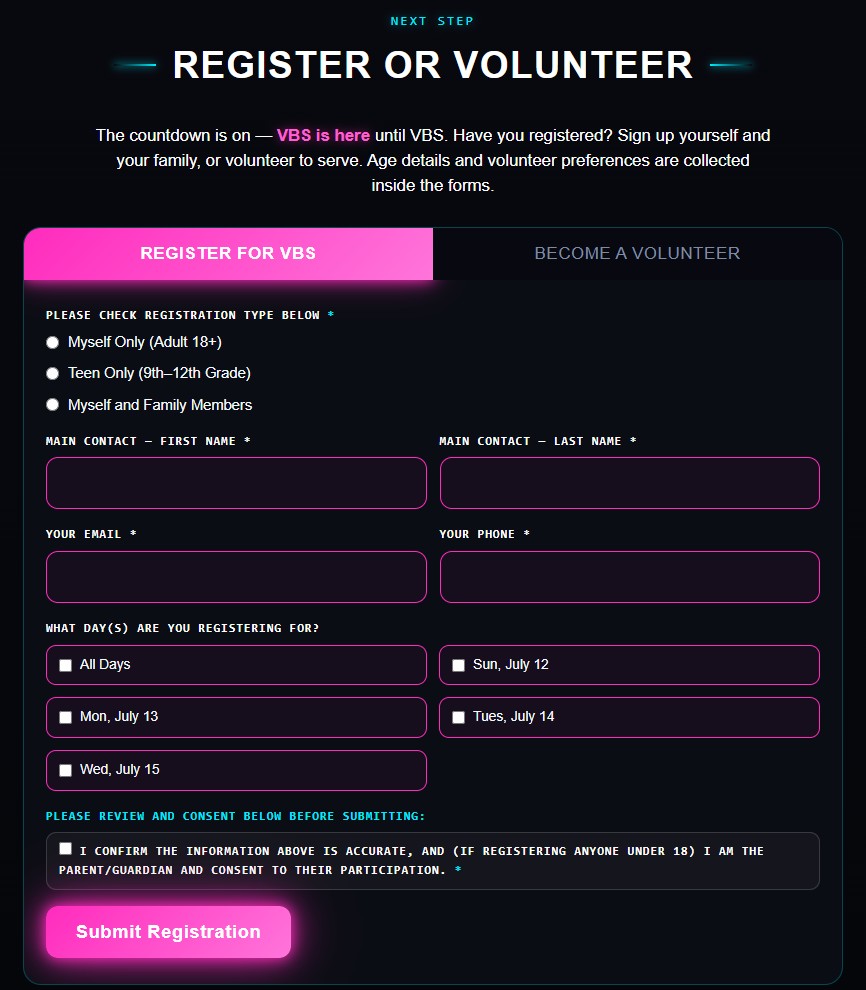
Separate registration for families and for volunteers, five automatic reminders leading up to the week, and a walk-in form that won’t register a child without a guardian on file.
2026cmbcvbs.com
Illumination Station VBS website with Register and Volunteer buttons
Register or volunteer
Family registration form with registration type, contact details, days, and guardian consent
Every night

Desk check-in and secure classrooms

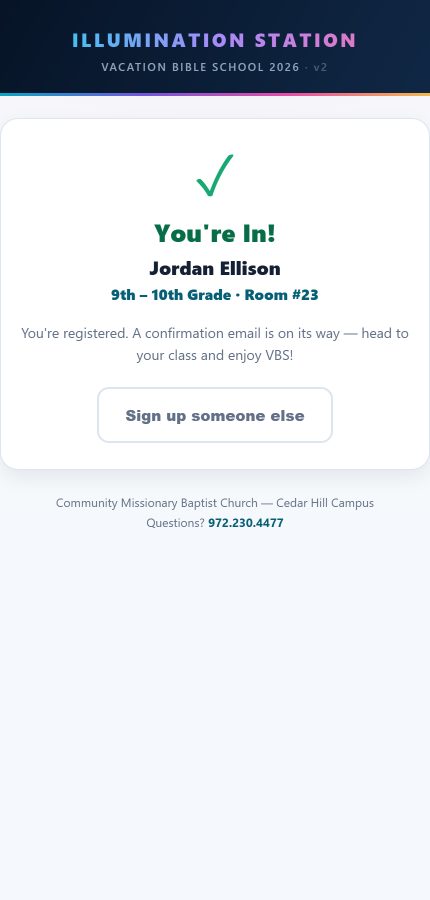
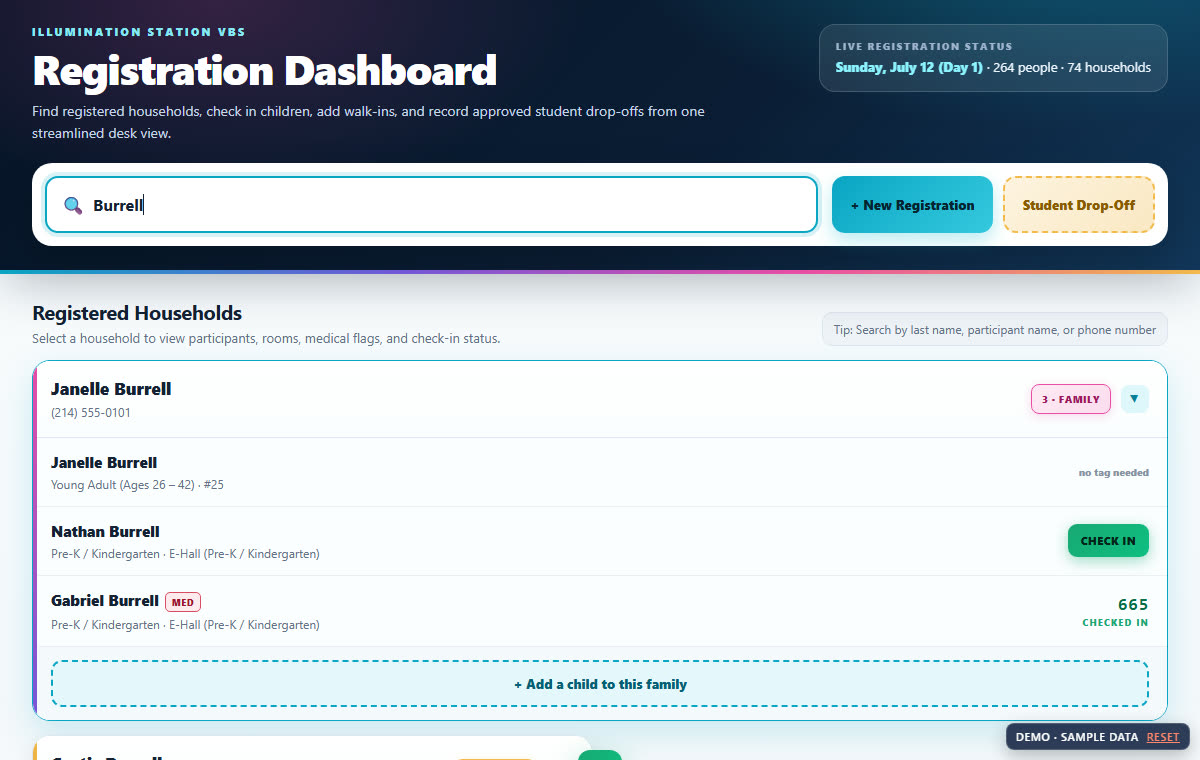
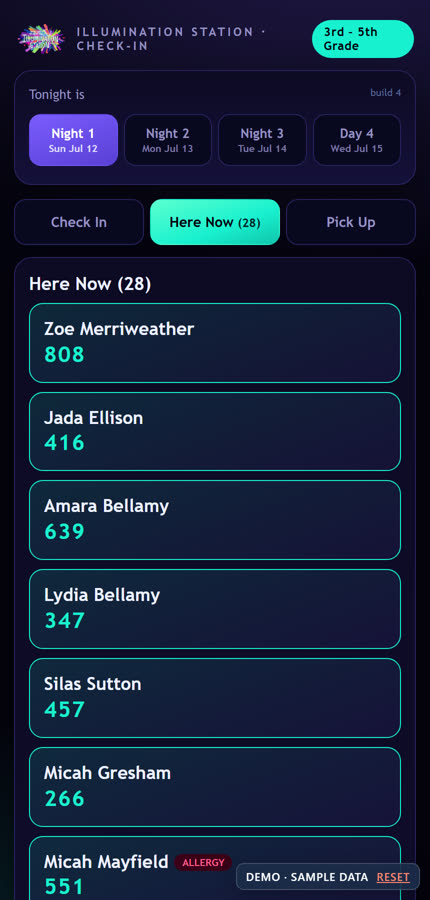
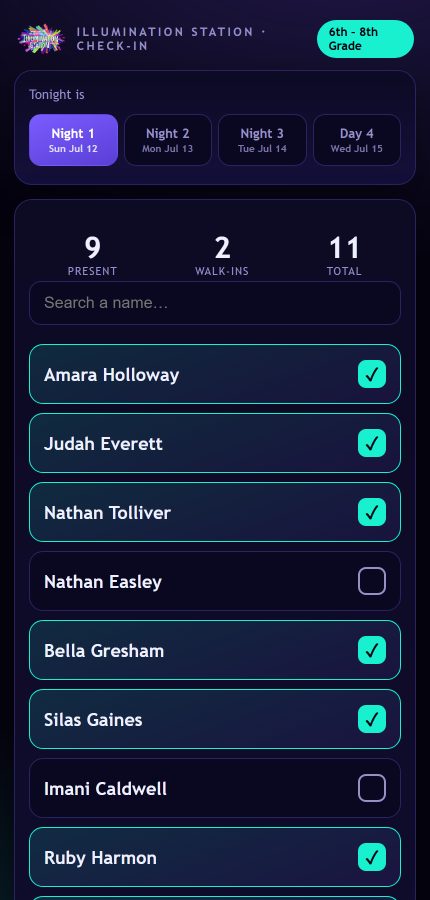
Pre-registered families don’t register again. Families with children under 10 or in Learning Support check in at the registration desk, where a volunteer finds the household in seconds and each child is added to their classroom roster. Walk-ins and approved student drop-offs are added on the spot.

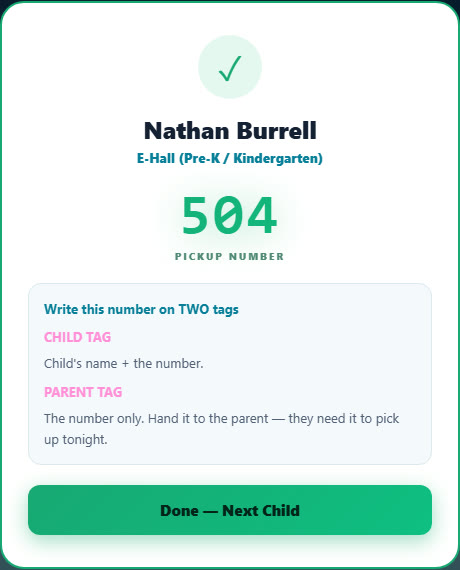
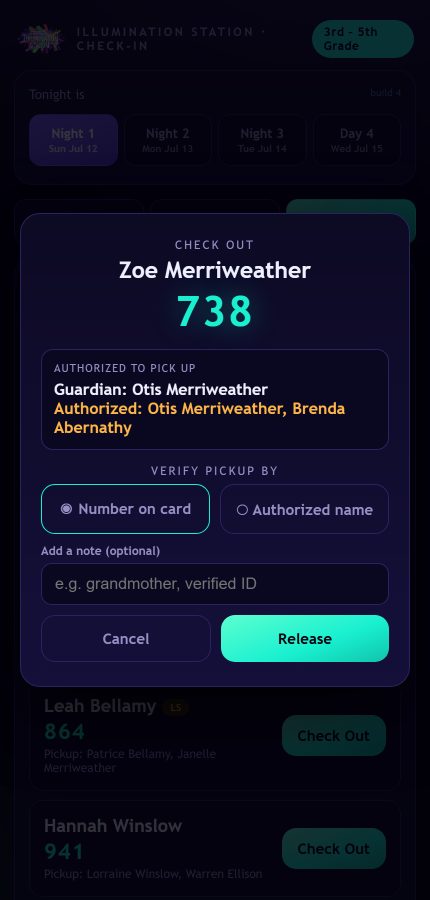
Younger children get matching numbered pickup tags for child and parent, checked against the authorized pickup list, with allergies shown on screen. A QR code for every classroom opens the teacher’s screen; older rooms take a quick head count.
Registration desk
Registration desk dashboard: household found by last name, children with Check In buttons and tag numbers
Four nights, one mission
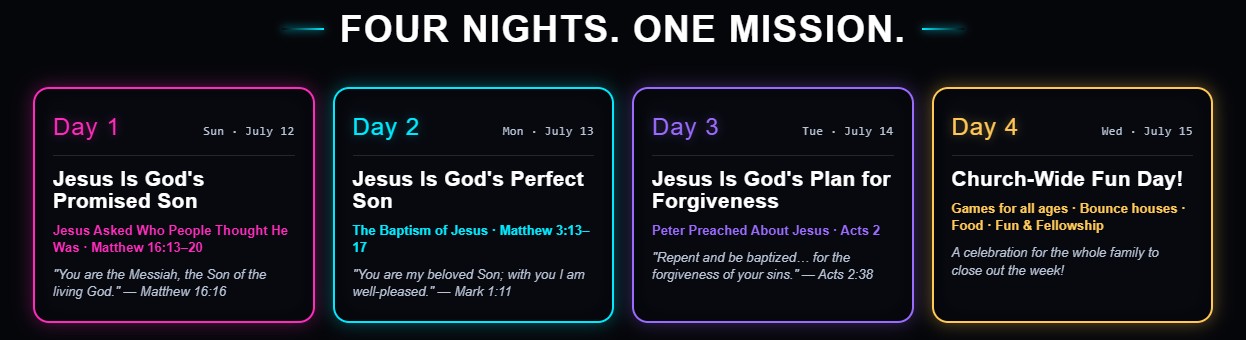
The four nights of VBS, July 12 to 15
For leaders

One dashboard for the whole week

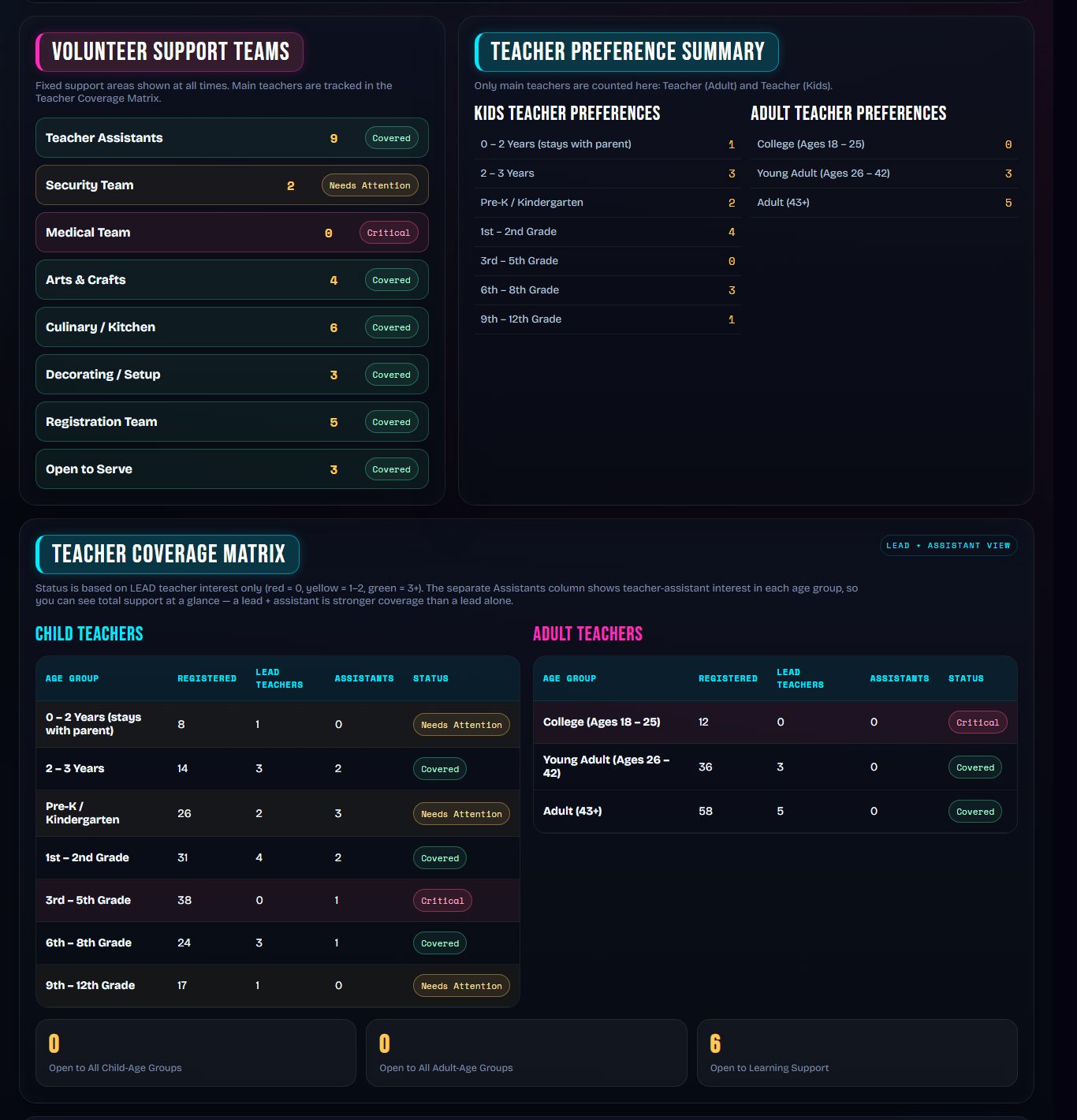
A volunteer dashboard showing how many have signed up, which rooms still need coverage, and a live count for every class. The walkthrough above shows it with sample data.

Result: Every child checked in and out by name, with no manual data entry and $0 in software. Ready to reuse next year.

Admin dashboard and classroom portal password: demo
epps60th.com/celebration
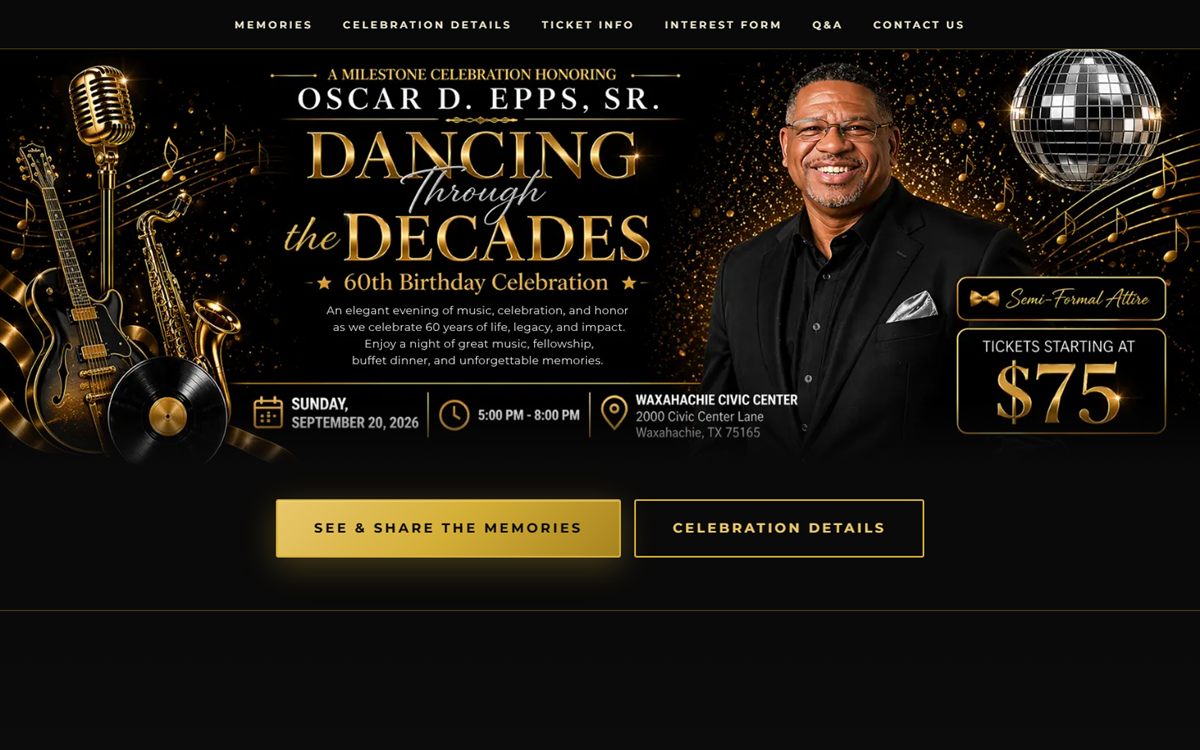
Dancing Through the Decades registration landing page with tickets and tables
Celebration site on a phone
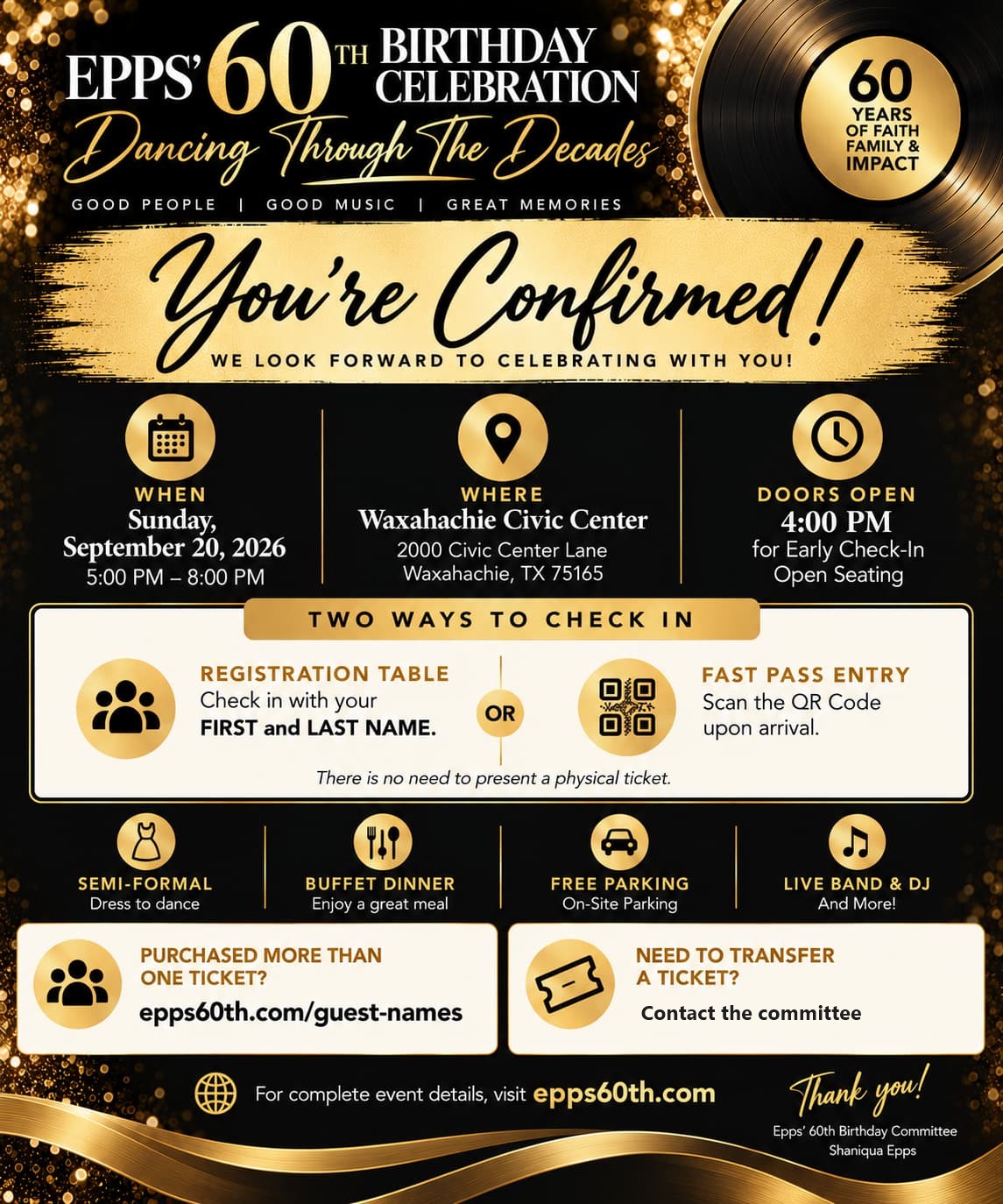
You are Confirmed email with event details and two ways to check in
Confirmation email
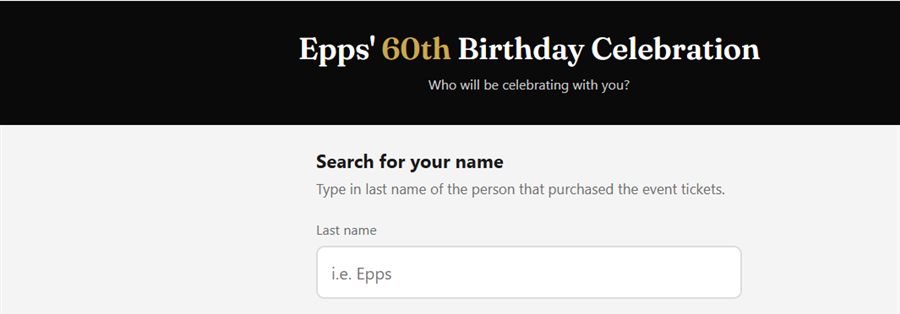
Guest names page where table buyers add their guests
Guest name collection
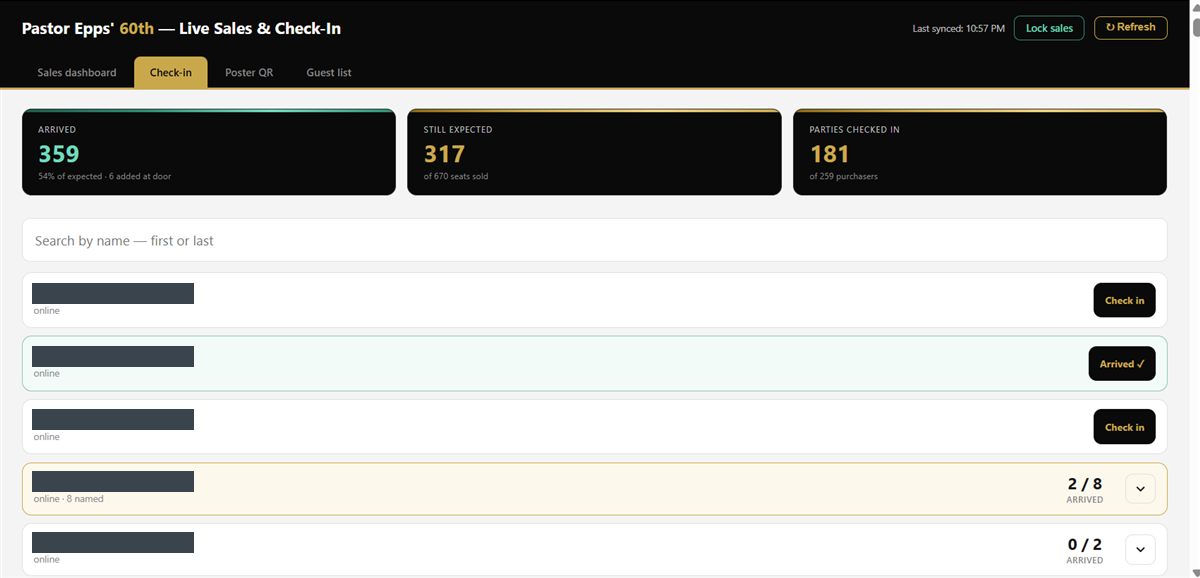
Live sales and check-in dashboard with guest names hidden
Check-in dashboard
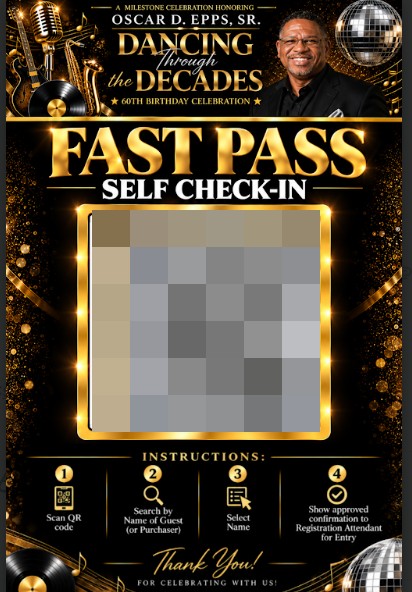
Fast Pass self check-in poster with scan, search, select and show steps
Fast Pass self check-in
Event Technology & Guest ManagementLive site

Dancing Through the Decades

Problem
A ticketed 60th birthday celebration with more than 600 guests, two separate registration systems, and table buyers who didn’t yet know all their guests’ names.
Built
One integrated registration system: a registration landing page with $75 tickets, $750 tables, and an interest list, plus a guest names page where each buyer added the people at their table.
Check-in
Online and in-person registrations merged into one live dashboard, and volunteers checked guests in by name from the same system.
After
The Memory Floor: a custom live photo and video upload experience built specifically for this client. Guests shared photos, videos, and messages from any phone, and every upload was reviewed before it appeared.
Result
359 guests checked in by name with almost no manual entry, and 333 moments shared after the celebration.
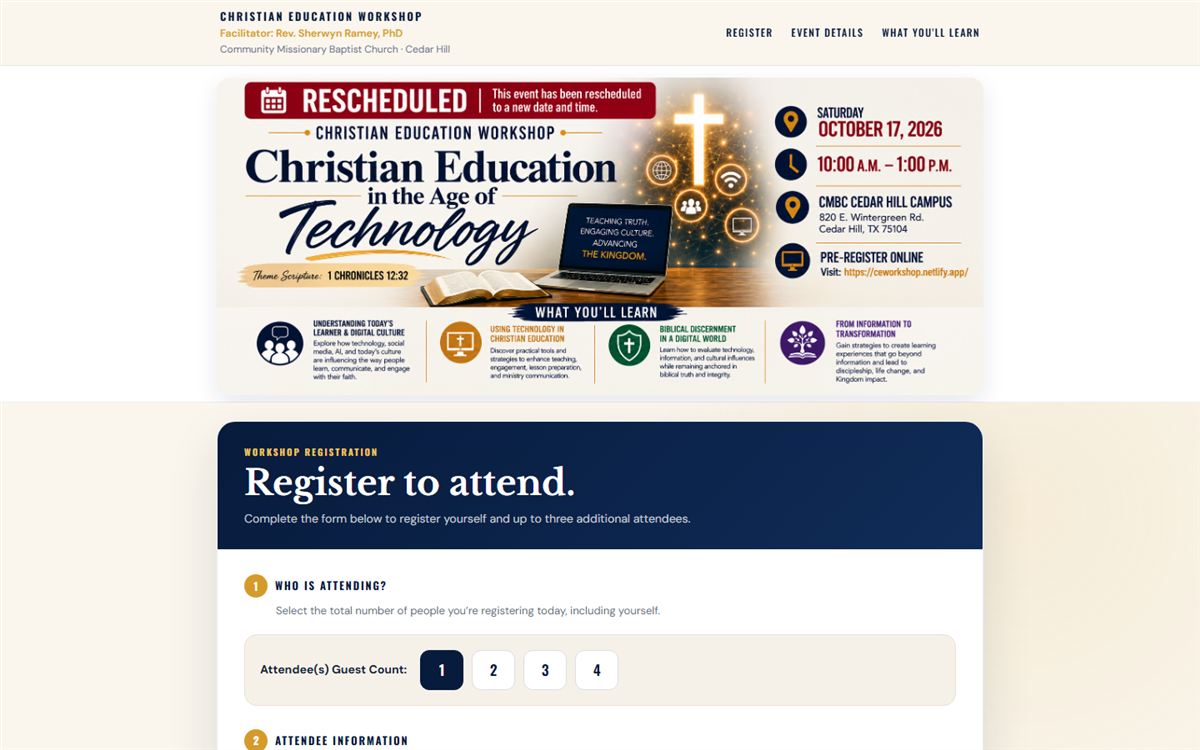
ceworkshop.netlify.app
Christian Education Workshop event page with registration form
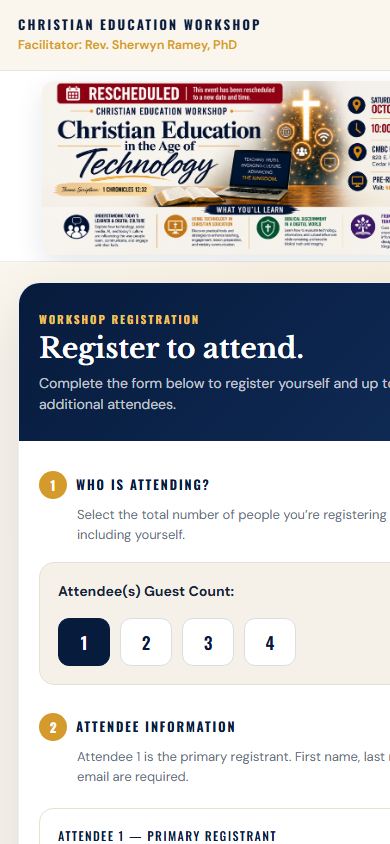
Workshop page on a phone
Event Registration PageLive site

Christian Education Workshop

Problem
A one-day workshop needed a place to send people and a simple way to register.
Built
A branded event page with registration for up to four attendees at once, event details, and a calendar invite.
Result
This is what a $500 Event Page looks like.
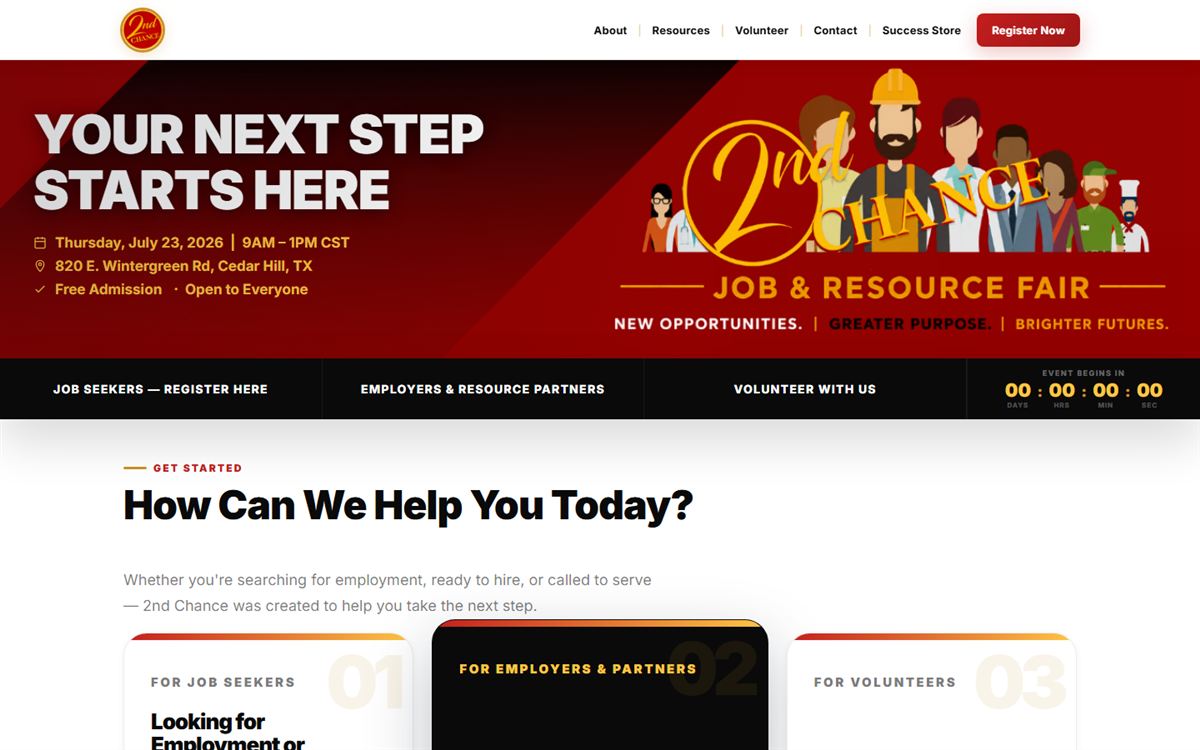
2ndchancecmbc.org
2nd Chance Job and Resource Fair website
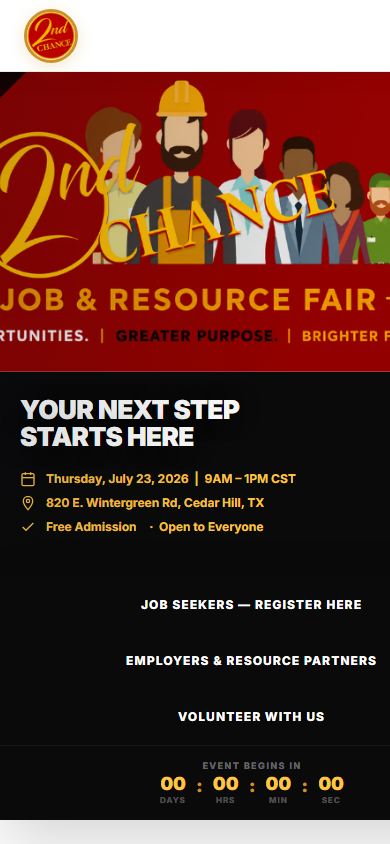
2nd Chance site on a phone
Volunteer & Multi-Audience RegistrationLive site

2nd Chance Job & Resource Fair

Problem
A community fair that depended on volunteers, employers, and vendors, all signing up through a basic template site with no registration and no way to see who was coming.
Built
Separate sign-up paths for volunteers, job seekers, employers, and vendors, each routed to its own list with its own confirmation. A 10-page site, four registration forms, six emails, four follow-up surveys, QR tracking for flyers, and a review page for leadership approval.
Result
Built solo in 2–3 days: work an agency would staff with a designer, developer, and copywriter over two weeks.

More event sites this year: Men's Week, Harvest Festival, the Caregiver Conference, and the Marriage Enrichment Journey, each with its own site and registration.

Request & Workflow Systems

creative-request-hub-demo.netlify.app
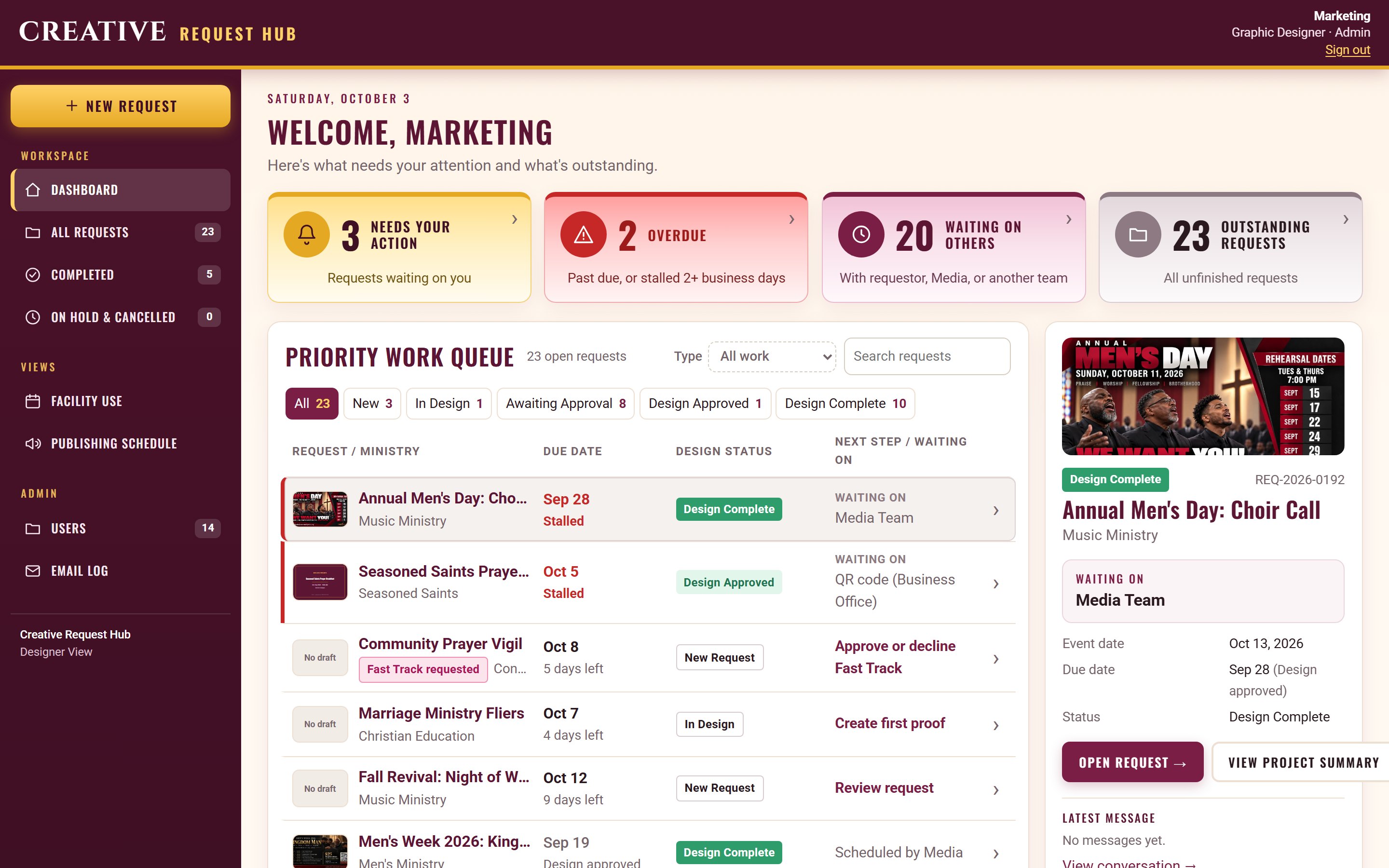
Creative Request Hub dashboard with requests that need action, overdue work, work waiting on others and a priority work queue
Marketing Workflow SystemLive internal platform · public demo

Creative & Media Hub

Problem
Ministry leaders sent flyer requests by text and in the hallway. Nobody knew what was in progress or what was approved.
Built
One hub that carries each request from intake to completion: graphics, room and A/V needs, paid-event QR codes, approvals, final files and Media scheduling, with a view for each role.
Results
Fewer conflicts. Rooms can’t be double-booked: the form grays out rooms in use and shows other events that day before Submit. Nothing missed. Media works from one list sorted by deadline, confirms room A/V a week before each event, and sees every social post going out in the next 7 days.
Shows
Every leader can see where their request stands without making a phone call. Each hub is built around the roles and approval steps your church actually uses.

The demo uses sample data, and every name is fictional. Password: demo. Switch roles from the bar at the top.

Outer Office Client Hub · demo
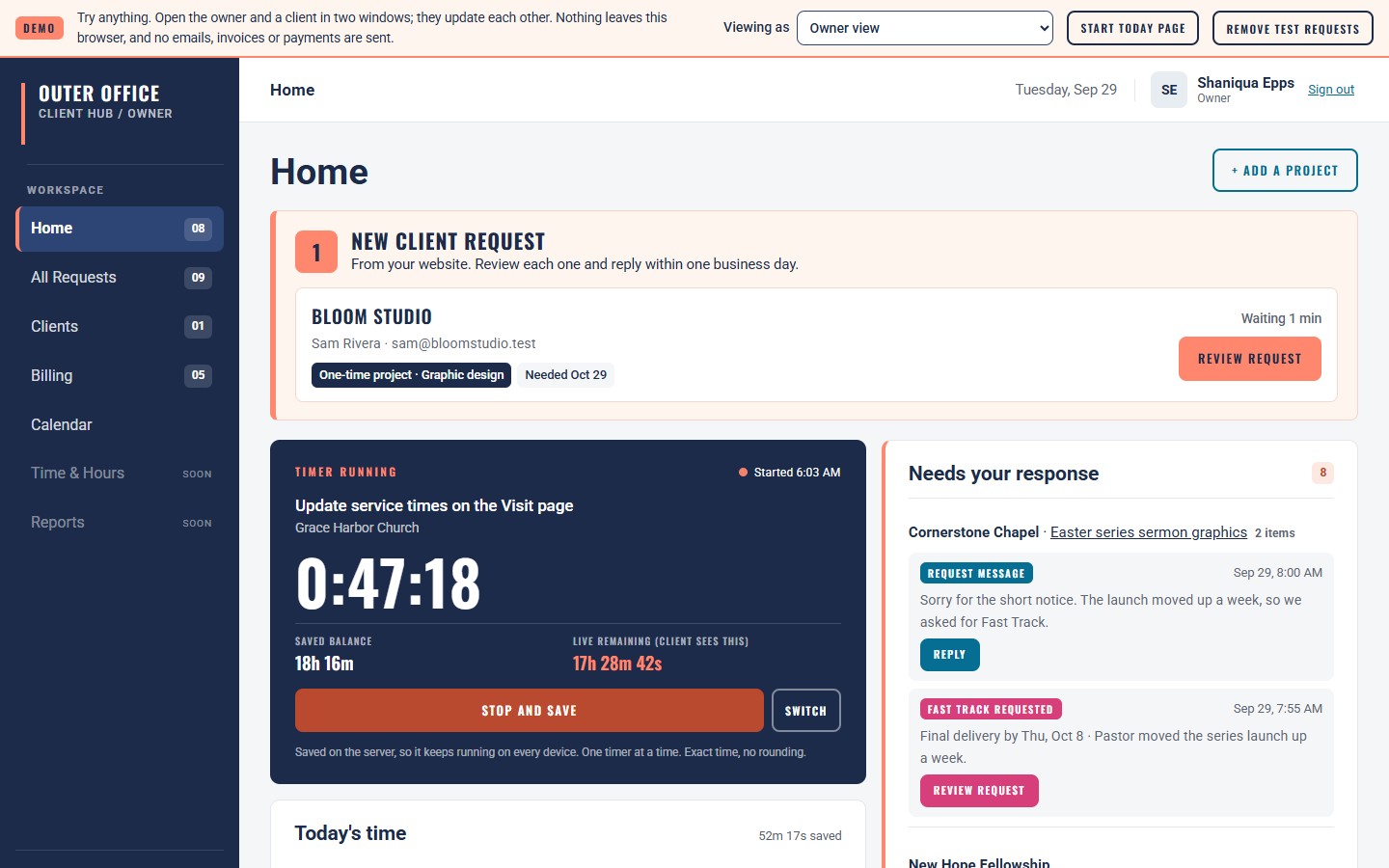
Outer Office Client Hub owner view with a running timer, a new client request, and items that need a response
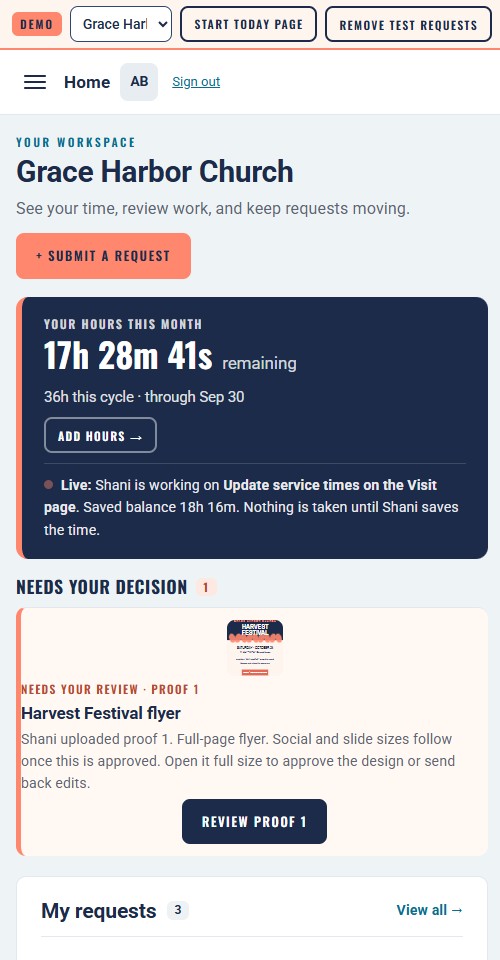
Client Hub client view on a phone showing hours remaining and a proof to review
Client Project & Request HubInteractive demo

Outer Office Client Hub

What it is
Built from scratch for Outer Office, this client workspace brings requests, project status, messages, proofs, approvals, and retainer hours together in one place.
For clients
Each church or business signs in to its own account to submit requests, see live hours remaining, review and approve proofs, send messages, and download final files.
Behind the scenes
One dashboard with a live timer, requests that need a response, every client’s hours, and a clear record of the work completed each month.
Why it matters
Retainer clients always know where their hours and requests stand, without chasing an email thread.

The demo uses sample churches and runs only in your browser. Switch between the owner view and a client view to see both sides.

Church & Member Tools

cmbc-explore.netlify.app
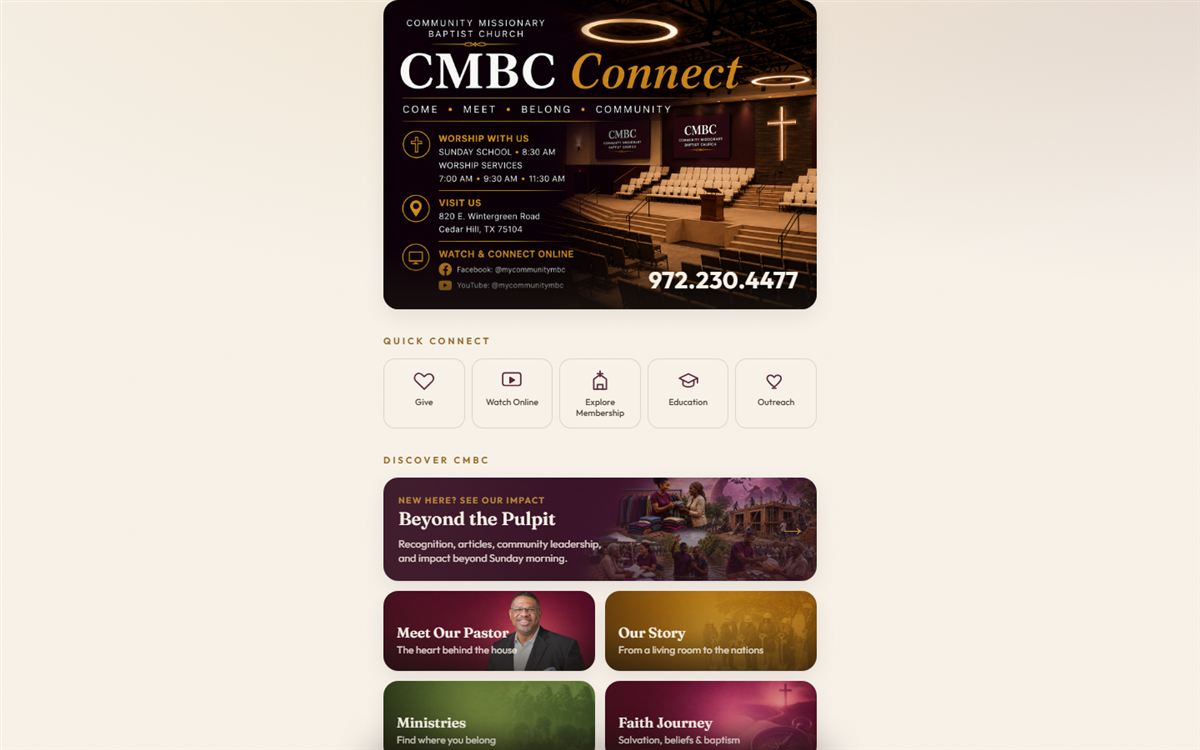
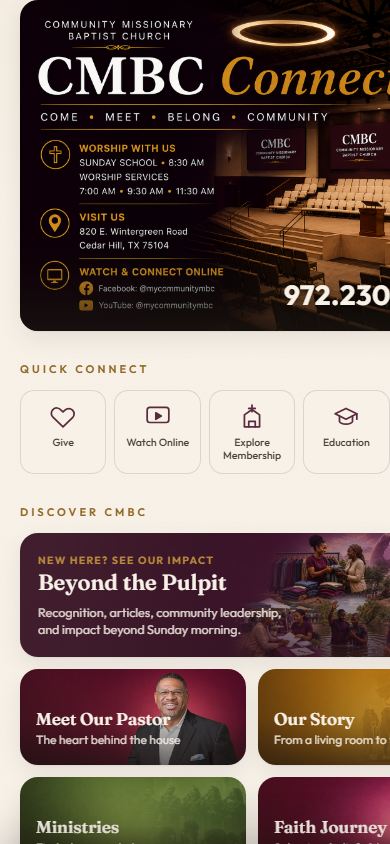
CMBC Connect church app home screen
CMBC Connect on a phone
Church AppLive site

CMBC Connect

Problem
Visitors and members had to dig through a website, social pages, and printed bulletins to find events, ministries, and ways to get help.
Built
One front door, built like an app: quick links to give, watch online, explore membership, education, and outreach; pages for the pastor, the church's story, ministries, and the faith journey; and a direct path to prayer and congregational care.
Result
Everything a visitor or member needs in one place, on any phone. Ministry connections are next.
New Member Journey · demo
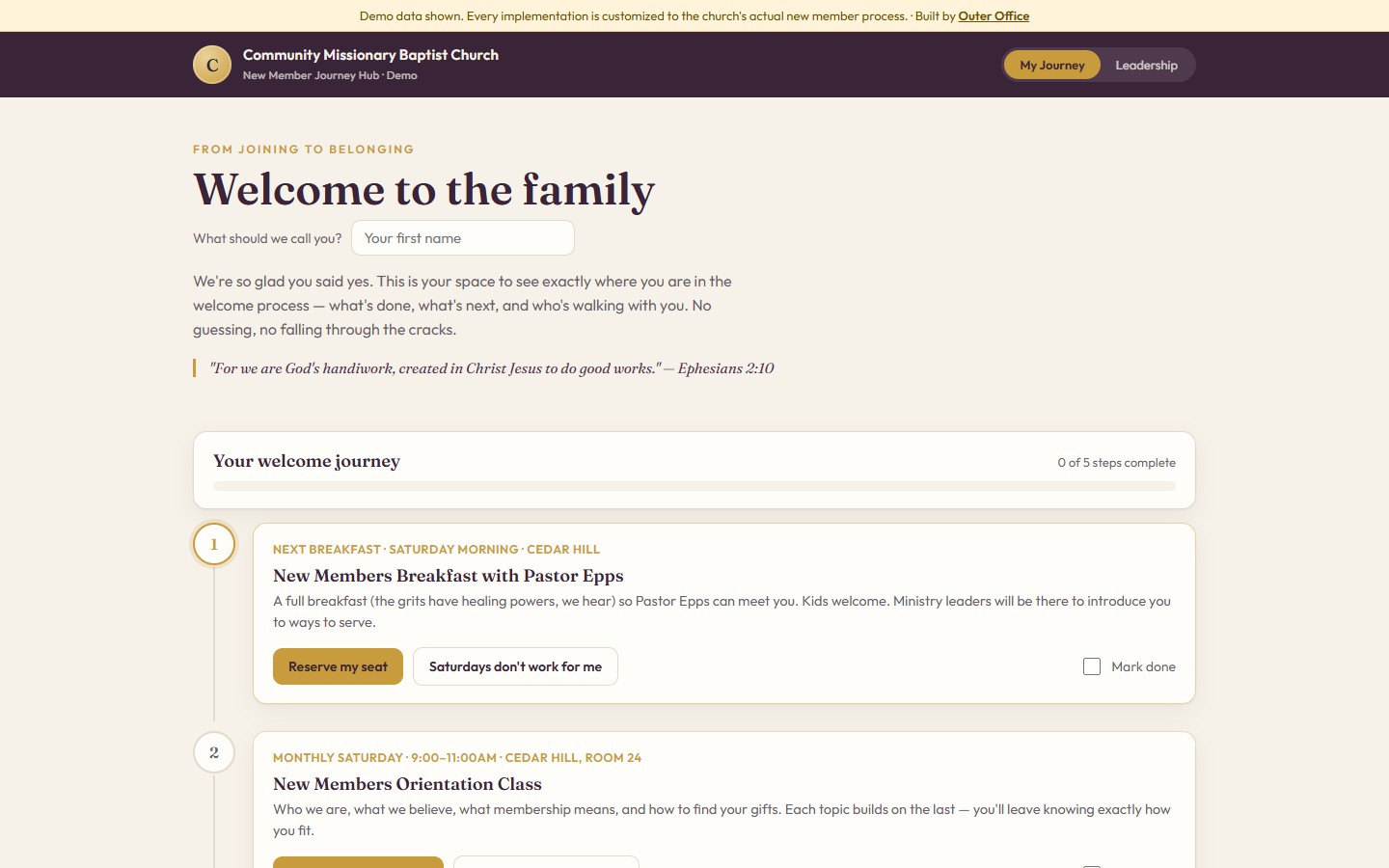
New Member Journey demo showing a new member's welcome steps
Member Assimilation SystemLive demo · interactive prototype

New Member Journey

A person joining the church shouldn't disappear into a spreadsheet.

Problem
After someone joins, follow-up depends on phone calls, class sign-ups, and lists. It's hard to see who finished orientation, who found a ministry, and who stopped moving forward.
Built
A member view with five clear steps (Welcome, Orientation, Discover Gifts, Connect, Serve) and a leadership view showing who is progressing and who still needs follow-up. Designed as the next step after "Explore Membership" in CMBC Connect.
Shows
Every new member has a visible path, and leaders can see who needs a call. A production version adds member sign-in, a secure database, protected leadership access, and server-side integrations.

Switch between My Journey and Leadership at the top of the demo. Leadership data is sample data. Progress is saved only in your browser.

cmbc-careconnect.netlify.app
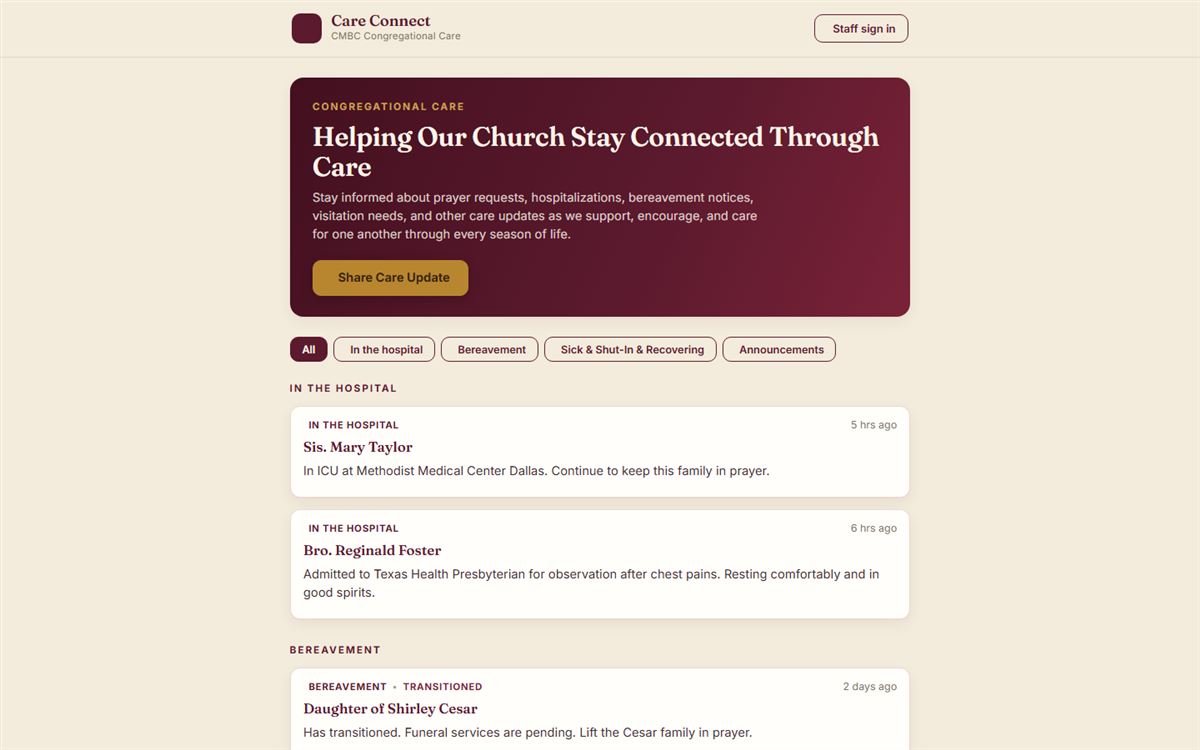
Care Connect showing hospital and bereavement updates
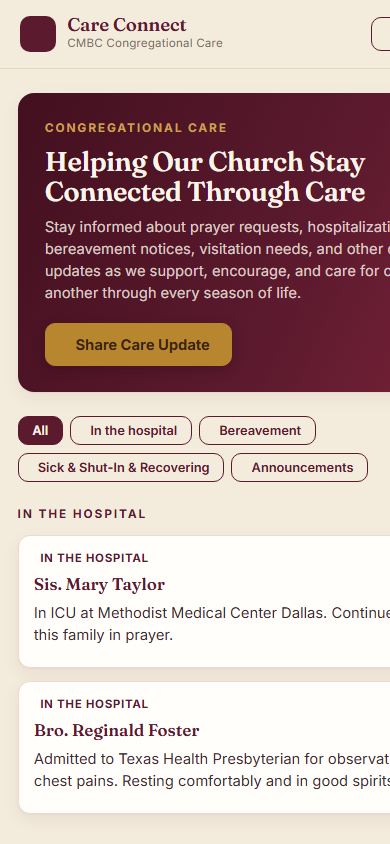
Care Connect on a phone
Congregational Care PlatformLive demo · sample data

Care Connect

Problem
Hospital visits, bereavement news, and sick and shut-in updates traveled by phone tree and group text, and details got lost.
Built
One care page with categories, homegoing service details, family contacts, and a staff sign-in for posting updates.
Result
The care team shares one accurate update, and the congregation knows who to pray for.

Business Websites & Platforms

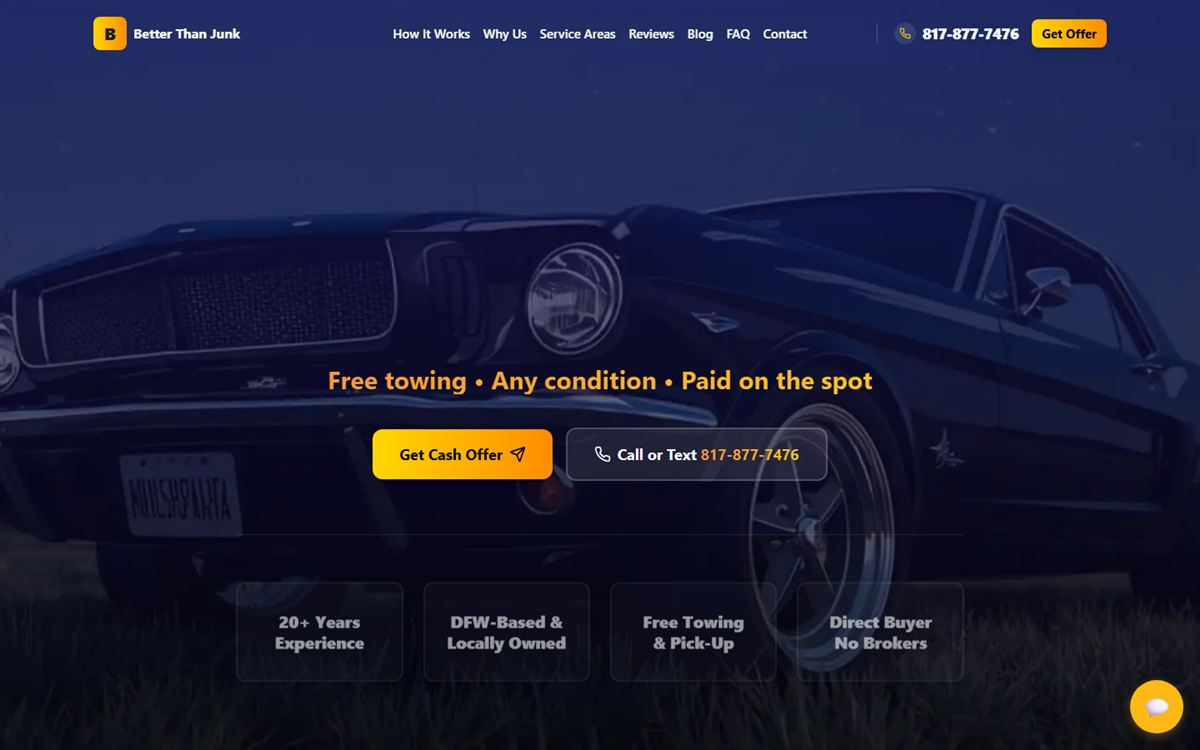
betterthanjunk.com
Better Than Junk website with Get Cash Offer button
Better Than Junk on a phone
Lead-Generation WebsiteLive site

Better Than Junk

Problem
A 25-year DFW car buyer with a strong reputation offline and no presence online, competing against national buyers with big ad budgets.
Built
A custom site with a secure back end that tracks every customer who requests an offer, including the photos they upload of their vehicle. Custom forms route straight to the owner's inbox, and a chat assistant answers the most common questions around the clock.
Search
More than 20 city landing pages across DFW, written for Google search and for AI answer engines, so the business shows up when someone asks where to sell a junk car in their town.
Result
From no web presence to a lead system that works while the owner is on a tow.
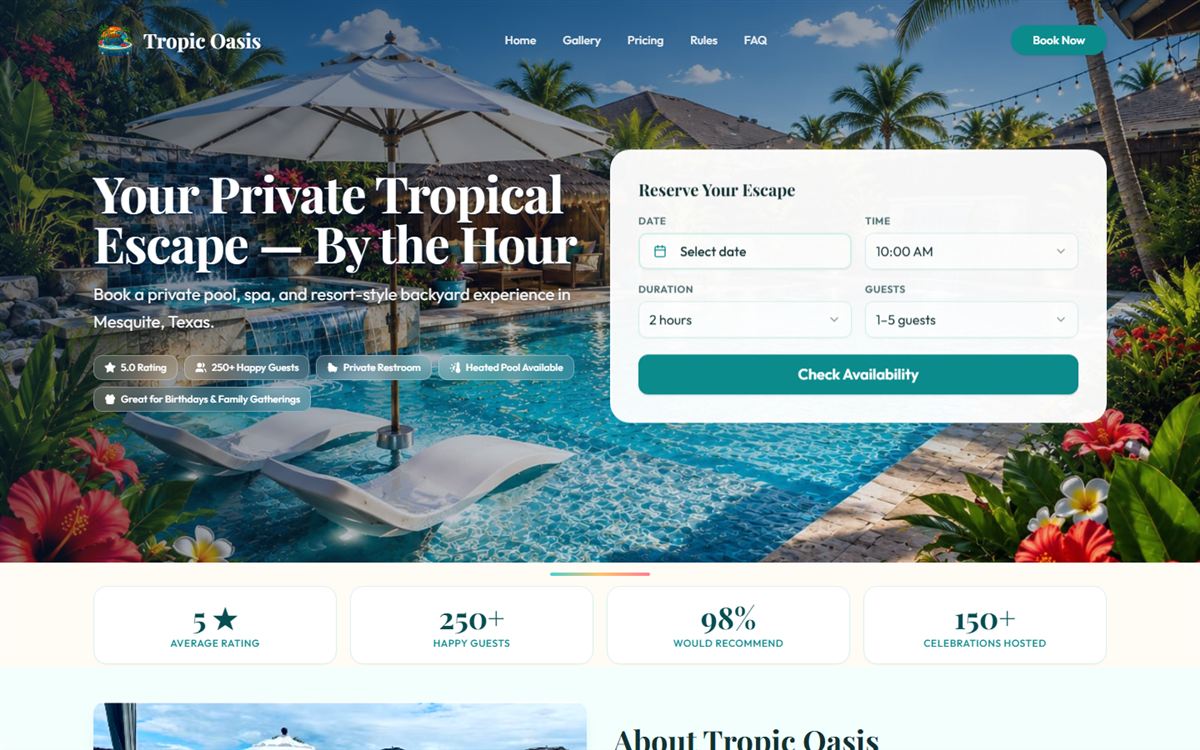
tropicoasispool.com
Tropic Oasis website with a booking form over a tropical pool
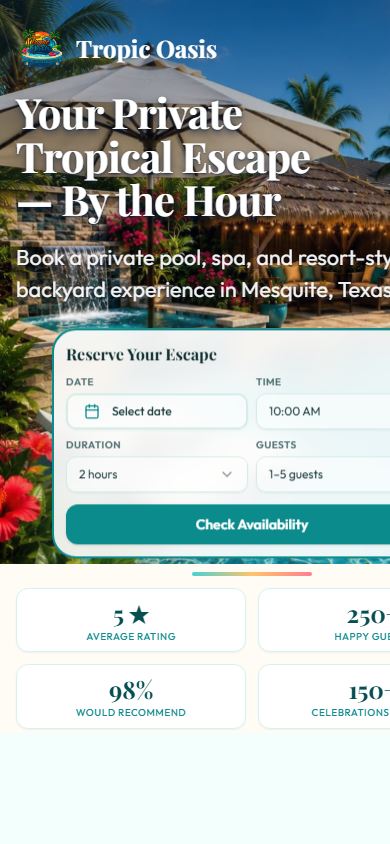
Tropic Oasis on a phone
Booking PlatformLive site

Tropic Oasis

Problem
A private pool rental in Mesquite was juggling bookings from its own site and Swimply, collecting payments and rental agreements by hand, and answering guest messages across apps.
Built
A complete booking platform: live pricing by guest count, date, and holiday; Stripe payments to the owner's own account; a Swimply calendar sync that blocks times already booked there; and a rental agreement guests sign electronically at checkout.
Dashboards
Guests get their own dashboard to manage their reservation. The host's dashboard connects to it, with bookings, pricing and blocked dates, revenue after discounts and refunds, signed contracts, and a message inbox that flags what needs a response.
Result
One system runs the whole business, from the first click to the signed contract to the payment.

Also: Check Experts, a credit education and business funding site for a Plano firm serving clients nationwide.

Want something like this for your church?

Tell me what's coming up and where your team needs help. You don't need to know which service you need before we talk.

Not sure where to start? Take the 3-minute Ministry Systems Assessment →