Creative Request & Workflow Hub
From request to completion, in one connected workflow.
A custom platform that manages creative work from intake through completion, replacing disconnected forms, emails and manual follow-up with one project record that surfaces the right information and actions at each stage.
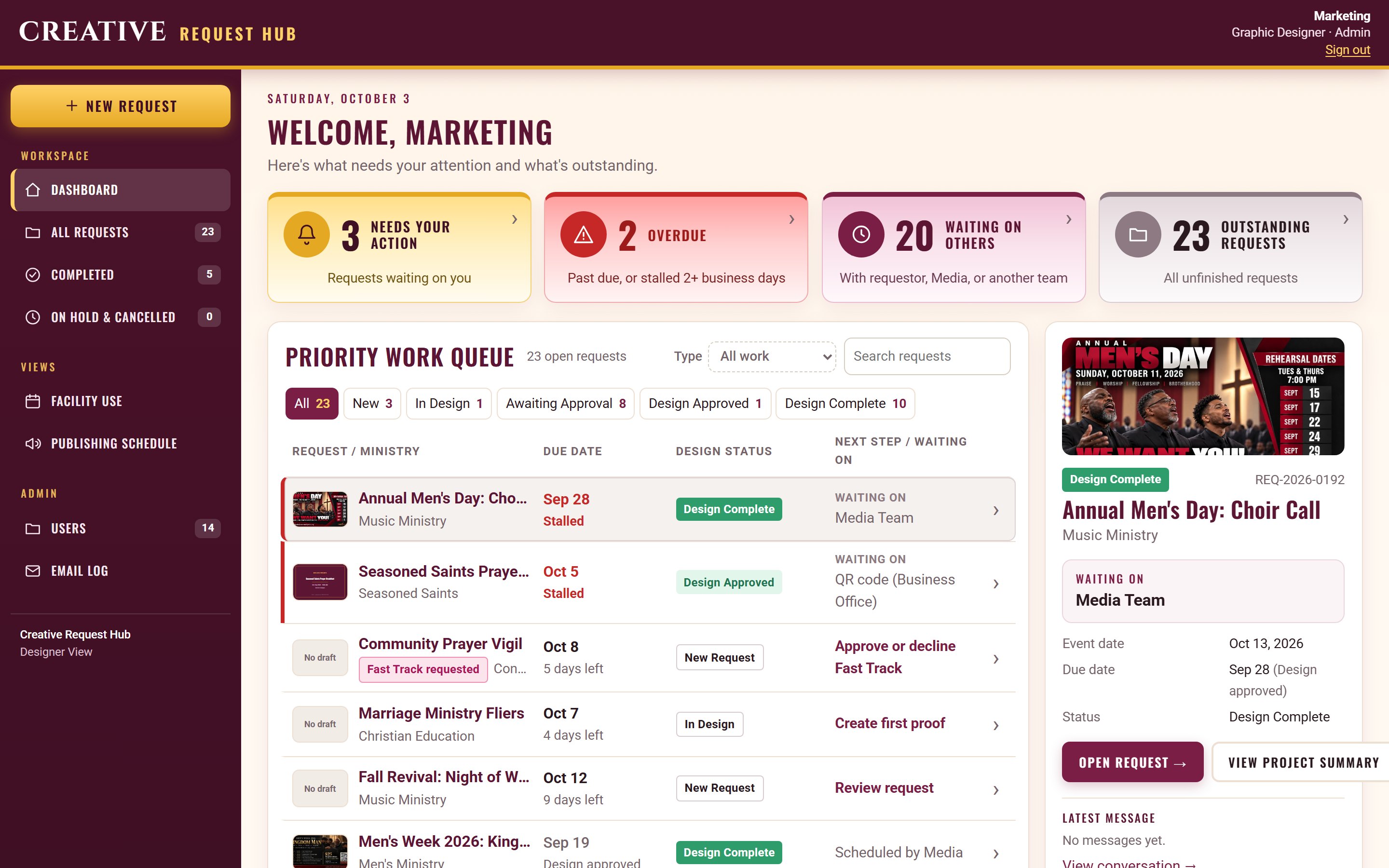
The forms worked. The workflow after Submit didn’t.
Marketing and design requests started through an online form, while facility requests and paid-event requirements followed separate processes. A request could be routed to Media and manually forwarded to the designer, but after that, visibility into the work largely stopped.
One project could need multiple creative deliverables, a room approval, a payment QR code, Media scheduling and different deadlines, and those dependencies lived in separate places.
The hard part wasn’t collecting requests. It was everything that happened after someone clicked Submit.
What happens after Submit
- Submit
- Review
- Produce
- Proof
- Approve
- Finalize
- Schedule
- Complete
Submit
The form captures each deliverable, where it will appear, and any room, A/V or payment needs, so dependencies are known from the start.
Finalize
Each deliverable gets its own final file, named by size. Each team downloads only what it uses, and downloads are tracked.
Schedule
Media schedules every announcement and social post, and the requestor gets one email listing where and when it will appear.
Review: accepted, sent back for missing information, or Fast Tracked with a reason. Produce: work begins on the required deliverables. Proof: drafts and requested edits stay on the project. Approve: approval is recorded against the work.
Approved ≠ Complete
Design approval isn’t the end of the workflow. The project stays active until its required files, handoffs, scheduling and distribution are finished.
- Approved
- Final files
- Media
- Scheduled
- Published & distributed
- Complete
The platform knows what’s holding the work up
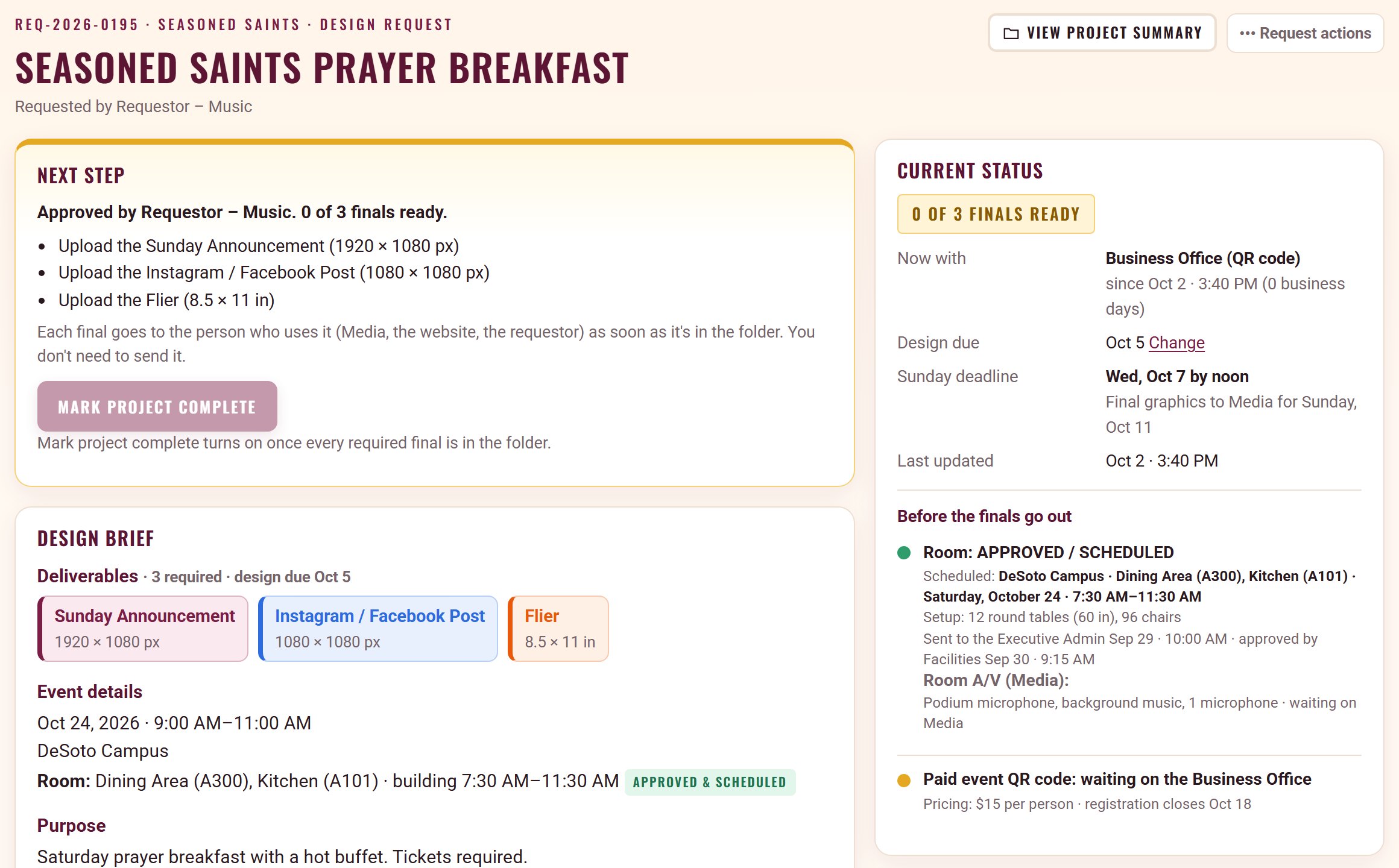 Who has it now
Room: approved
Primary blocker: QR code
3 deliverables, tracked separately
Dependency-aware holds
A pending room approval or payment QR code blocks only the work that depends on it. The project names the primary blocker and what is waiting behind it.
One request, multiple deliverables
Slides, social graphics, web banners and print pieces stay separate deliverables inside the same project.
Follow-up and escalation
Overdue work shows on each person’s dashboard instead of in a stack of reminder emails. A room decision or QR code still stuck after the design due date escalates to the person responsible, with a full history of activity.
Cross-functional routing & approvals
Room requests reach the Executive Admin already checked for conflicts. Rooms are approved or returned with an alternative, and A/V needs route to Media.
Deadline logic
Recurring cutoffs are built into intake and status. Late work becomes an exception someone handles on purpose, instead of disappearing. The design due date can be any day up to the event; rushes are decided case by case.
Permission-aware workspaces
Each role gets the information and actions for its responsibilities. Requestors see only their own projects.
One request can create multiple connected workstreams
Example: a paid breakfast event with a room booking. The payment QR code is pending, so only the work that needs it waits.
Accounting
Payment QR code and registration link
Primary blockerDesign
Drafts, proofs and approval
Still movingFacilities
Room approved and scheduled, setup confirmed
Still movingFinal files
Slide, social post and flier need the QR code
HeldMedia
Sunday and social scheduling waits for the finals
Held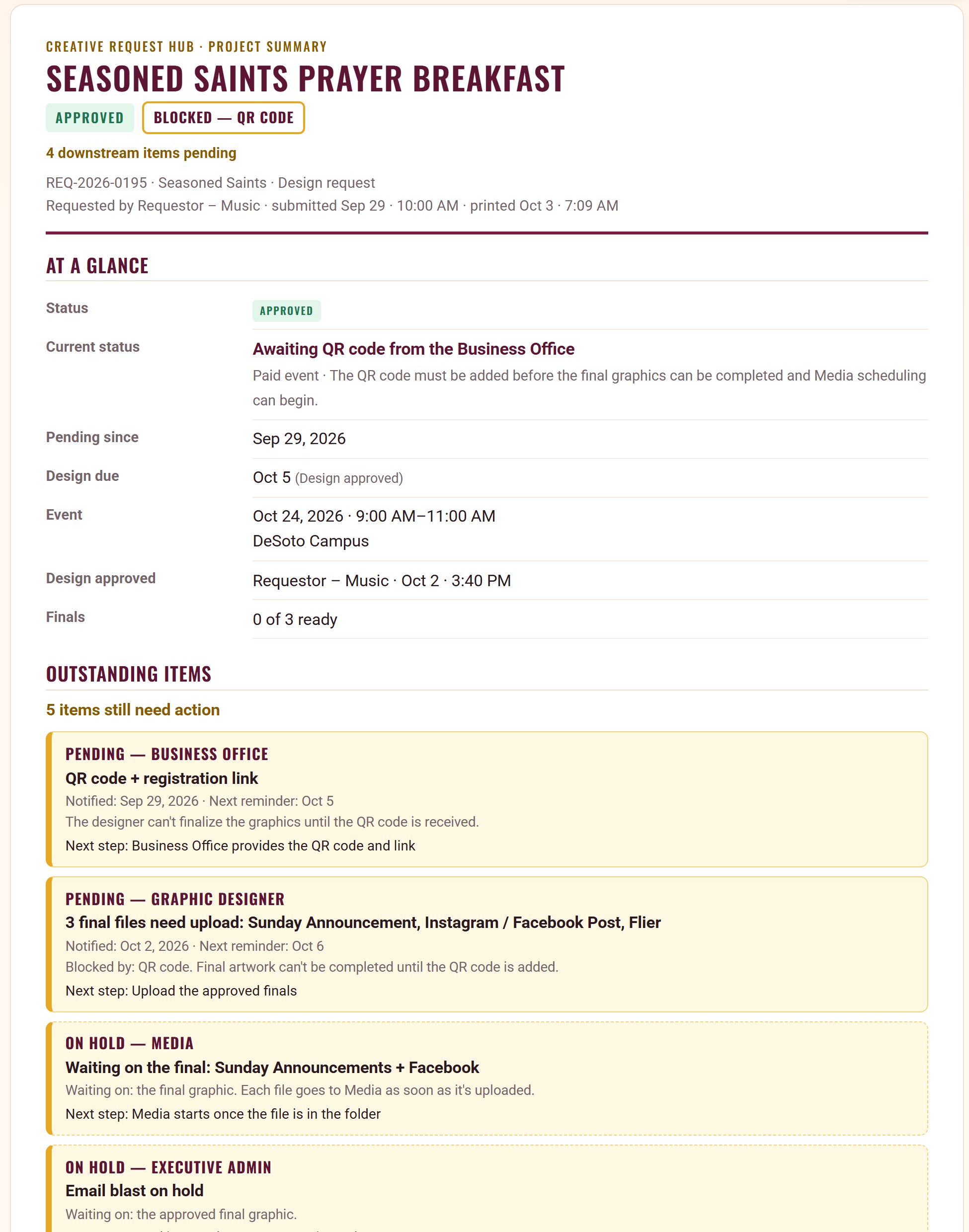 Primary blocker + what’s waiting
Held: needs the QR code
Every project explains itself
Anyone who can open a project sees who has it, since when, what’s blocking it and what happens next. The summary turns that into one printable page, so a status meeting starts with answers instead of questions.
Fewer conflicts. Nothing missed.
Scheduling problems are caught while the request is being filled in, not after the flier is printed. Media starts each day with one list of what’s due.
On the request form
No double-booked rooms
A room that’s already booked or requested for an overlapping time can’t be sent. An “Event conflict” pop-up names the clash and offers to change the date, time or room. The server refuses it too.
Rooms in use are grayed out
Once the date and times are in, rooms that are taken can’t be picked, so the form only offers rooms that are open.
Other events that day, in view
The form lists other events on the same date and asks “Do you want to keep this date?” before Submit, so ministries can choose another day before two events compete for the same people.
Times entered one way
Every time in the hub is picked the same way (hour, minutes, AM/PM), so there are no mistyped times to sort out later.
On Media’s dashboard
One list, sorted by deadline
Late Sunday decisions, graphics to approve and files to review sit in one “Needs your action” list, soonest deadline first, with Due today and Overdue tags.
Room A/V confirmed a week ahead
Each event’s sound and video needs are confirmed one calendar week before the event (the Friday before, if that falls on a weekend). A room approved after that date is marked At risk instead of quietly slipping.
Social posts for the next 7 days
Media sees every post going out this week and can reschedule or remove one, with a reason. The caption stays as the requestor approved it, and the requestor is told about the change.
The workflow came before the software
I mapped how a request actually moves across design, Media, facility approval, paid-event requirements and final publication. Before development, I defined ownership, dependencies, completion rules, escalation logic and role-based permissions.
A working demo with sample projects was used to validate the workflow with staff before the production environment was connected. The live application then added individual sign-in, a shared relational database and server-enforced permissions.
- Map the work
- Define the rules
- Validate with a demo
- Go live
The request was captured, then the work fragmented across forms, email and manual follow-up.
The project itself carries its status, dependencies, deliverables, approvals, files and downstream work from intake through completion.
The same architecture can support any organization where work must move through dependencies, approvals, multiple deliverables and downstream handoffs before it is truly complete.
2-minute walkthrough
Sample data. Every name is fictional.
Demo password: demo. Switch roles from the bar at the top.