
Outer OfficeBusiness Solutions
Shani Epps · Marketing, communications + systems for churches

Your
marketing +
communications
all connected.

Strategy, creative direction, communications, web, technology, systems, and hands-on execution—connected through one accountable partner.

$117K+SavedVendor and contract review that eliminated unnecessary spend.
80%FasterCreative turnaround cut from two weeks to two days.
100+Hours savedEvent systems built in days, not weeks.
MBA+ 10 yearsSenior marketing, systems, and project leadership.
Start here

What needs attention first?

Choose the one that sounds most like your church.

Not sure where to start? Take the 3-minute Ministry Systems Assessment →

Why Outer Office

Your church may not need another full-time hire. It may need one accountable partner to bring the pieces together.

Your staff, ministry leaders, volunteers, and vendors may already be doing important work. Outer Office helps connect the requests, priorities, communications, and systems around them so the work keeps moving.

Area When the work is scattered With Outer Office connecting the work
RequestsRequests arrive through different people and channels.One place for incoming requests and priorities.
CoordinationMinistries plan and promote independently.Shared visibility across campaigns and communications.
VisibilityLeadership has limited visibility into what is moving and what is stalled.Clear status, priorities, and next steps.
ConnectionCommunications, websites, events, and systems operate separately.Marketing, communications, and systems working together.
From idea to launch

One partner who can take the idea and get it done.

Most marketing needs do not fit neatly into one service. A single request can involve strategy, messaging, design, web, registration, communications, technology, and follow-up. Outer Office connects those pieces so you are not coordinating multiple people just to move one idea forward.

These are the kinds of requests that start the conversation
  • “We have a conference coming up and need everything.”
  • “Our website needs help and nobody has time to maintain it.”
  • “Our ministries need one place to submit marketing requests.”
  • “Registration is creating too much manual work.”
  • “We're paying for technology and aren't sure we're using it well.”
  • “We have the idea. We need someone to figure out the rest.”
  1. 01

    Think

    Audience, strategy, priorities

  2. 02

    Write

    Messaging, web, email, social

  3. 03

    Design

    Campaigns, graphics, social content

  4. 04

    Build

    Websites, forms, systems

  5. 05

    Launch

    Testing, rollout, communications

  6. 06

    Manage

    Updates, reporting, next steps

One accountable partner can stay with the work from the first conversation through execution and ongoing support.

It often starts with one sentence

“We want to host a marriage enrichment program.”

You don't need to tell me to build a registration system, design the campaign, write the emails, create the graphics, and organize the workflow. Figuring out what the idea requires is part of the work. For this program, that meant a name and look, promotion, class pages, sign-ups, emails, and keeping leadership updated as details changed.

Want to see what I can handle?

Explore the types of work that can move through Outer Office.

Strategy + Communications
  • Marketing Strategy
  • Messaging & Copy
  • Email & Newsletters
  • Social Planning & Scheduling
  • Event Marketing
  • Campaign Planning
  • Project Coordination
Creative + Digital Systems
  • AI-Assisted & Template-Based Graphic Design
  • Websites & Landing Pages
  • Registration Pages & Forms
  • Workflows & Automation
  • Technology Support
  • Platform Setup & Connections
  • Website & System Updates

Not sure where to begin? Let's determine your current needs.

Take the 3-Minute Assessment →
Projects

Built to solve real marketing & technology problems.

Websites, campaigns, registration systems, member journeys, workflows, and custom digital tools — planned, designed, and built from idea through launch.

Live case study · Church registration

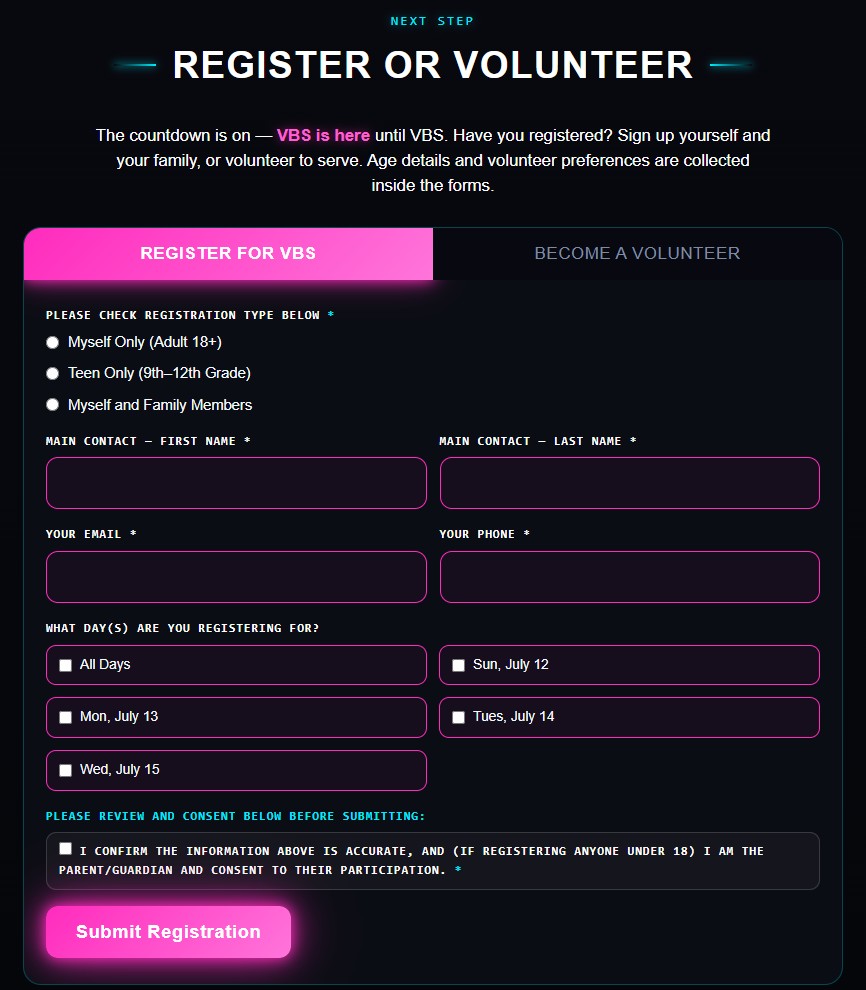
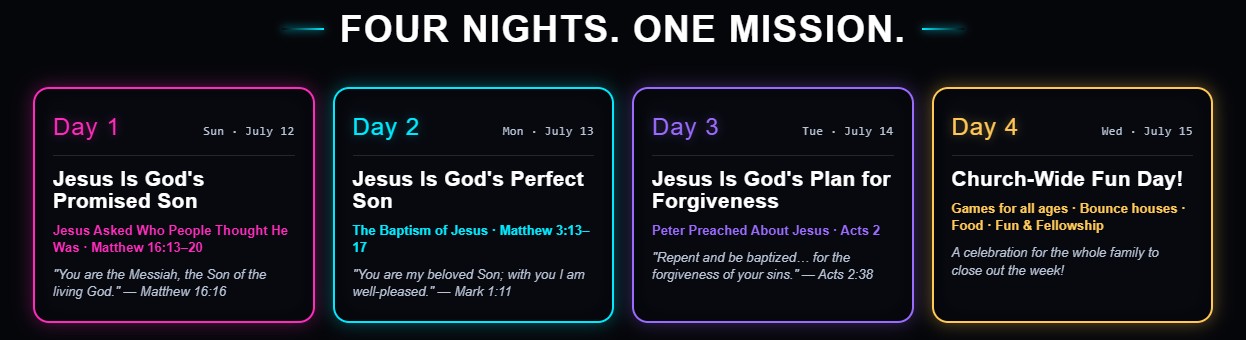
Church registration & secure check-in system

2026cmbcvbs.com
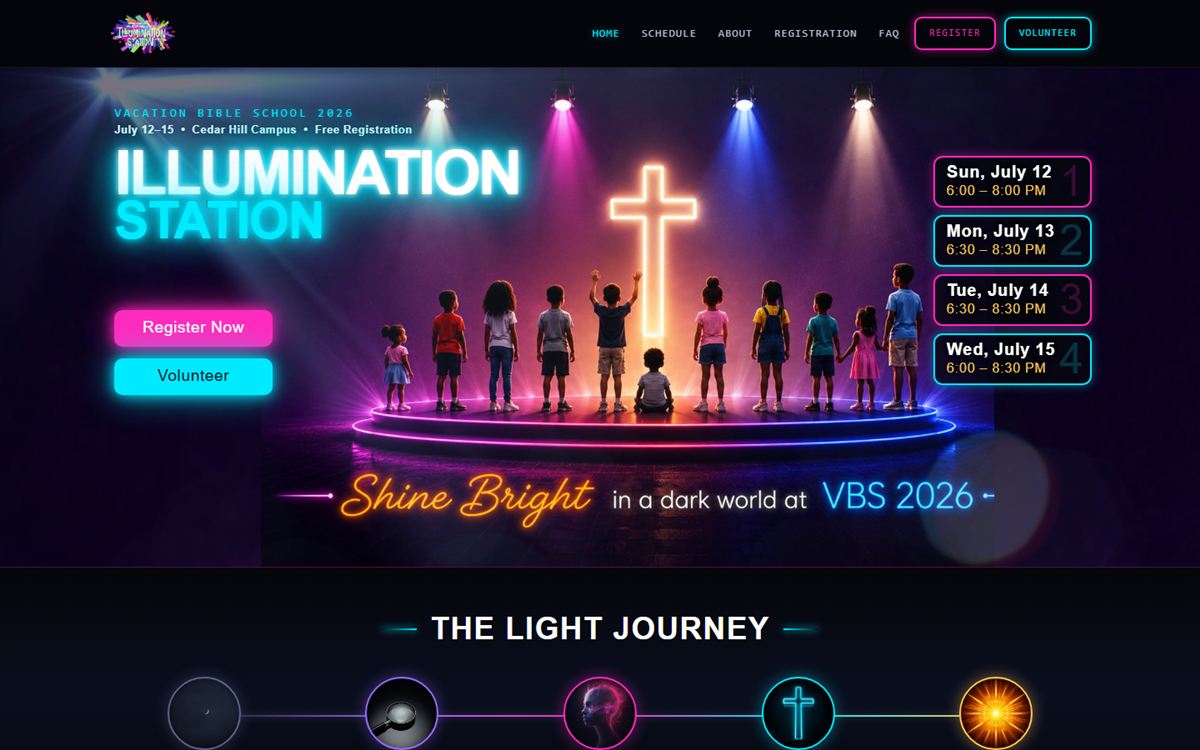
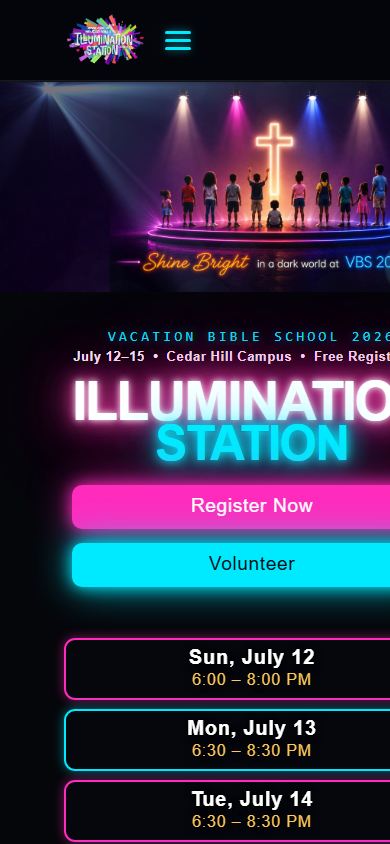
Illumination Station VBS website with Register and Volunteer buttons
Family registration form with guardian consent
Family registration
The four nights of VBS, July 12 to 15
Four-night schedule
Illumination Station VBS · Children’s Ministry

One connected system for families, volunteers, and leaders across four nights and 16 classrooms, built around one rule: a child never leaves with the wrong adult.

Design & technology delivered
  • Family registration
  • Volunteer registration
  • Five automatic reminders
  • Walk-in form requiring a guardian on file
  • A QR code for every classroom
  • Matching numbered pickup tags
  • Authorized pickup list check
  • Allergies shown at check-in
  • Volunteer dashboard with room coverage
  • Live count for every class
16Classrooms checked in by QR
$0In software costs

Every child checked in and out by name, with no manual data entry. Ready to reuse next year.

See the Church Registration Case Study →
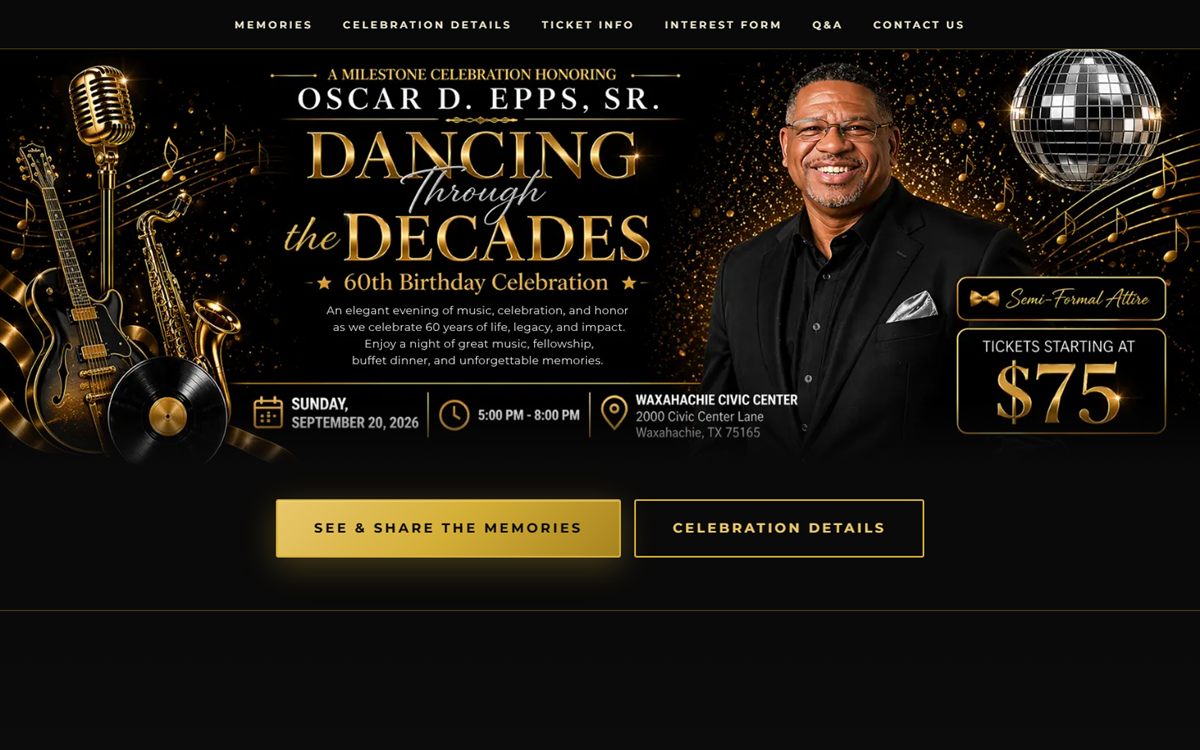
epps60th.com/celebration
Dancing Through the Decades celebration page with tickets and tables
Event technology & guest management · Live

Dancing Through the Decades

A 600+ guest ticketed celebration with two registration systems and table buyers who didn’t yet know their guests’ names.

Result: 359 guests checked in by name with almost no manual entry, and 333 moments shared on the Memory Floor.

See the project →
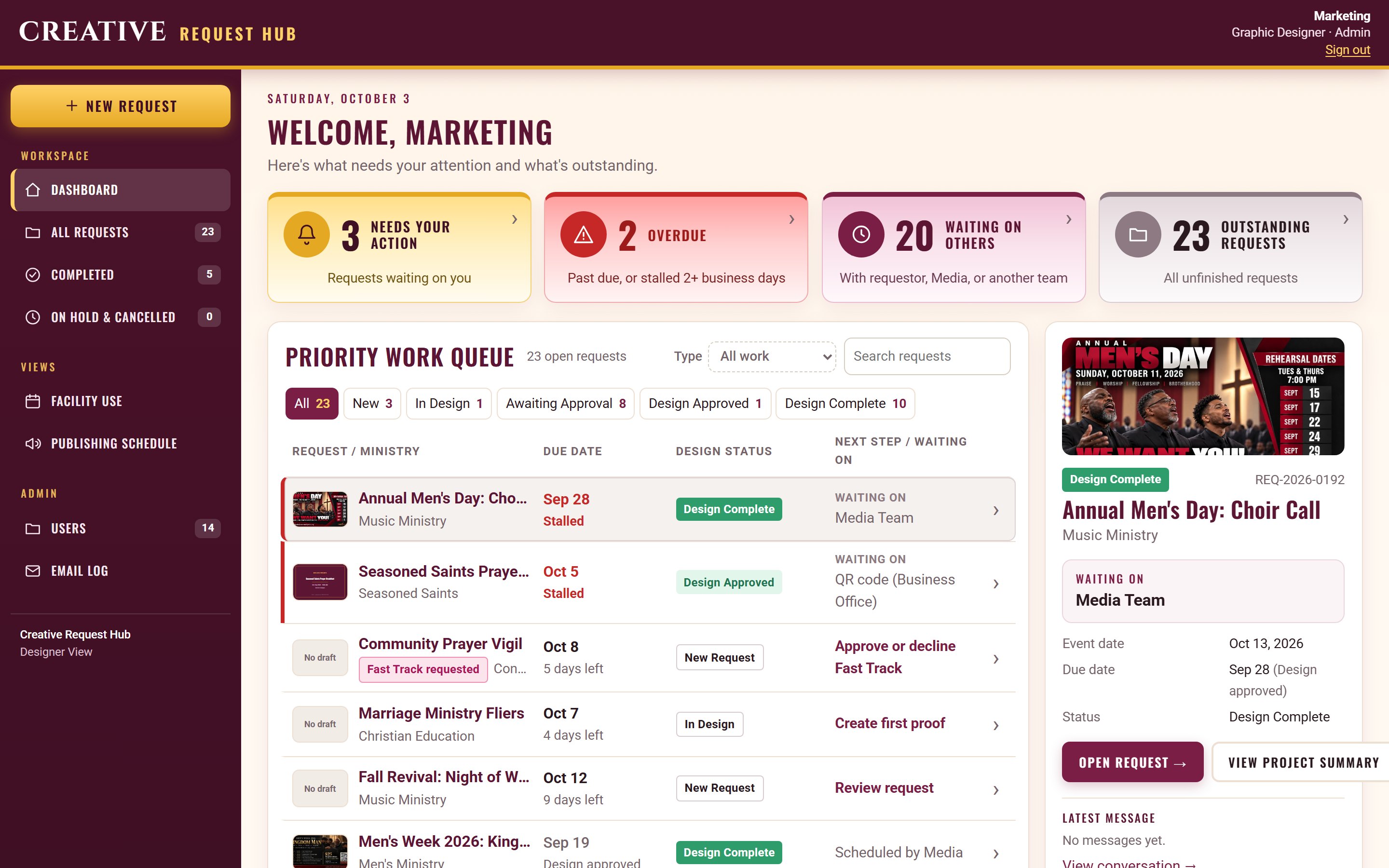
creative-request-hub-demo.netlify.app
Creative Request Hub dashboard with requests that need action, overdue work and a priority work queue
Marketing workflow · Live internal platform

Creative & Media Hub

Ministry leaders requested flyers by text and in the hallway, with no way to track them.

What it shows: One hub that tracks every request, room booking and Media post to completion. Room conflicts are caught before a request is sent, and Media works from one list sorted by deadline, so nothing is missed.

Read the case study → Try the demo →
cmbc-explore.netlify.app
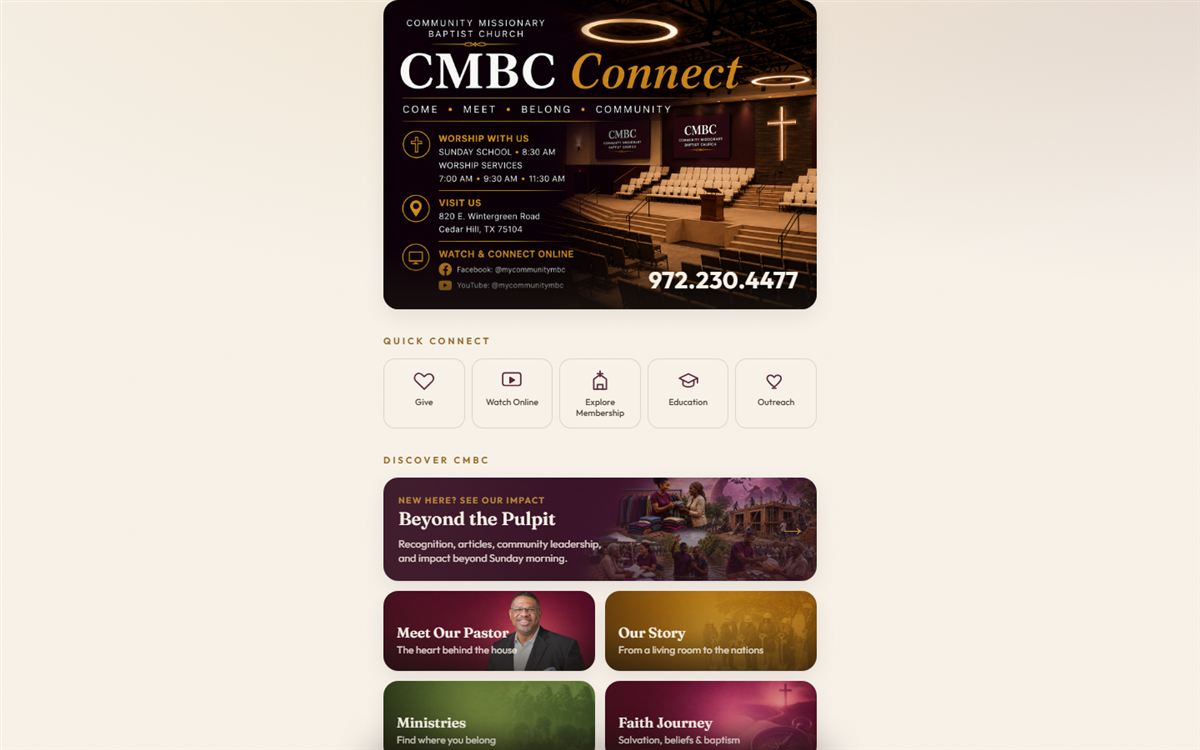
CMBC Connect church app home screen
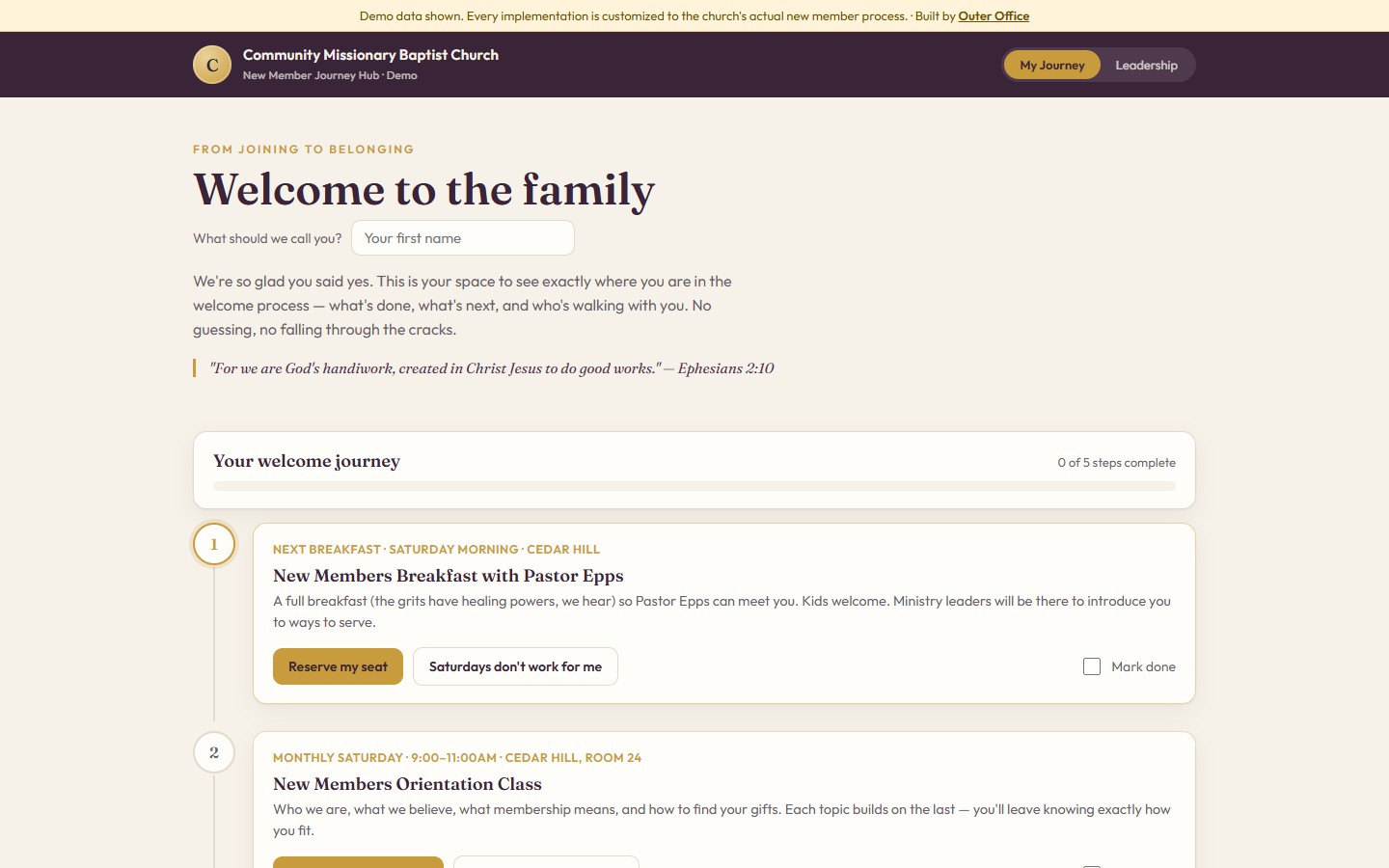
New Member Journey · demo
New Member Journey demo showing a new member's welcome steps
Member engagement · In development

Connected Member Journey

A person joining the church shouldn't disappear into a spreadsheet. Has anyone called them? Did they finish orientation? Have they found a place to serve?

  1. Visit
  2. Connect
  3. Join
  4. Belong
  5. Grow
  6. Serve
Live site

CMBC Connect is the digital front door, where visitors and members find service times, giving, ministries, and prayer and care.

Explore the app →
Interactive prototype

New Member Journey is what happens after someone joins: a clear path from welcome to serving, and a leadership view of who still needs follow-up.

Try the demo →

Shown as two parts of the same member journey. Integration is still in development.

How I work

Start with the problem.
Build the right solution.

I don't start with the software. I start with how your church works, where the process is slowing down, and what the goal actually requires. Then I determine the right mix of strategy, creative, technology, and workflow support to move the work forward.

Prefer to talk it through? Schedule a consultation →

  1. 01AssessUnderstand the current process, tools, and pain points.
  2. 02RecommendDetermine what should stay, change, or go.
  3. 03ConnectLink tools and automate how information moves.
  4. 04BuildSet up, configure, or build what the work requires.

Move faster

Better processes and AI-assisted workflows reduce turnaround across content, creative, development, and execution.

Automate the repetitive

Forms, email, spreadsheets, websites, and dashboards can share information so staff and volunteers spend less time retyping and moving data.

Spend smarter

Identify overlapping or underused tools, simplify the technology setup, and redirect budget toward what actually supports the work.

Proof: One technology review uncovered more than $700/month in unnecessary spend.

AI-enabled, human-led

I use AI to increase speed and capacity across research, content development, design iteration, development, QA, workflow planning, and production. Strategy, judgment, and final decisions remain human-led.

In one creative workflow, this approach tripled output and reduced turnaround from two weeks to two days.

The person behind Outer Office

Strategy, creativity & technology — in one partner.

Shani EppsMarketing strategist. Systems thinker. Hands-on builder.

My background spans corporate marketing, creative project management, digital strategy, systems implementation, vendor oversight, and church communications. That mix allows me to see both the message people experience and the process, technology, and coordination behind it.

Instead of handing the work from strategist to designer to developer to project manager, I can connect those disciplines and keep the work moving from idea through execution.

  • MBA, Marketing
  • Digital Marketing Certification
  • 10+ years of marketing and project leadership
  • Marketing lead for a 3,500-member church with two campuses and nearly 20 ministries

Past roles include Parkland Hospital, UT Southwestern, Blue Cross Blue Shield, DFW International Airport, and FedEx.

Schedule a Consultation →
Client experience

Your work, status, and capacity—all in one place.

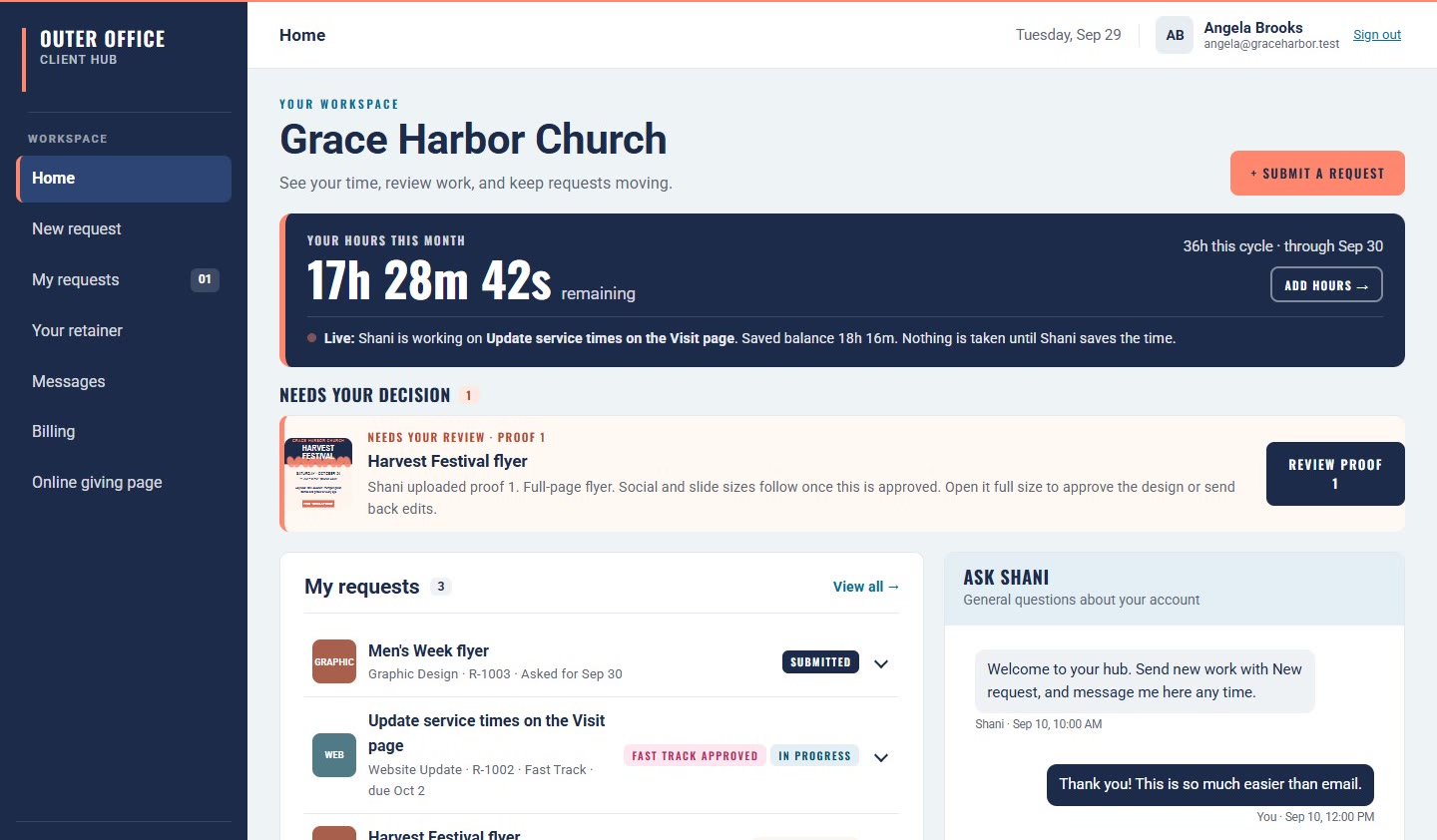
Every monthly Outer Office client receives access to a private Client Hub where requests, project status, messages, proofs, approvals, completed files, and remaining capacity stay connected. See what’s moving, what needs attention, and how much capacity remains without chasing email threads or wondering where a request stands.

Included with every monthly support plan.

Client Hub · sample church
Client Hub dashboard for a sample church, Grace Harbor Church: hours remaining this month, a proof awaiting review, a list of requests with their status, and a message thread
  • Submit requestsSend new marketing, communications, website, or technology needs.
  • Track progressSee what’s active, what’s waiting, and what comes next.
  • Review + approveKeep proofs, feedback, and approvals connected to the work.
  • Monitor capacitySee how much monthly capacity remains at any time.
Why this model works

Use what already works.
Add capacity without adding a department.

Build, buy, or connect: the right technology depends on the problem.

Sometimes the right answer is an existing platform. Sometimes it is connecting what you already have. And sometimes a custom solution makes more sense. My job is to help determine which approach fits the need.

What a 3,500-member church was actually quoted

Real 2026 written quotes. Either you pay the platform to set it up, or your own staff does. The goal is not to sell you another platform. It is to determine what should stay, what should connect, and what—if anything—needs to be built.

Platform A

Full church management system

Subscription
$12,600–$16,200/yr
Onboarding
$8,700
Consulting
$9,000 + travel
Time to go live
About 6 months
$30,000+first year, before giving fees

Platform B

Church app and media platform

Subscription
$3,791–$6,061/yr
Setup fee
None
Customization
Done by church staff
Local support
Not included
Your staff’s timeto set up, brand, and run it

Outer Office

  • Starts with the problem, not the platform: what should stay, change, be automated, or be custom built.
  • Built and launched in weeks, not months.
  • Local, ongoing support from the same partner who led the work, right here in Dallas–Fort Worth.
  • No per-member software fees. Hosting and support run through your plan, and your data stays yours.

Platform names withheld. Figures are from written quotes and exclude payment processing fees. Neither quote includes local, ongoing help.

Senior-level marketing support, without a full-time payroll.

Typical Sr.-level marketing professional

$5,500–$8,500+ / month

Base salary only

  • Primarily base marketing & communications coverage
  • Graphic design, website design, and workflow automation may still require added staff or outside specialists
  • Total cost can increase with benefits, payroll taxes, software, and consultant support
Outer Office

From $1,000 / month

Flexible monthly partnership

  • One partner across marketing, communications, creative, web, and systems
  • Built to streamline workflows, connect platforms, and reduce manual work
  • Designed for churches that need broader support without hiring a full team

A full-time hire may cover one core lane. Costs often rise when additional support is needed for design, web, automation, and systems work.

Monthly retainers

A monthly partnership
built around your workload.

Choose the level of ongoing support that fits the amount and complexity of work you need help moving forward. Every retainer includes access to the same core services — the difference is how much monthly capacity you reserve.

Marketing Support

$1,000 /month and up

Includes up to 20 hours/month

Dependable ongoing help for lighter monthly needs.

Start This Plan →

Marketing Partner

$1,750 /month and up

Includes up to 35 hours/month

More capacity for recurring marketing work.

Start This Plan →

Full-Service Marketing

$2,500 /month and up

Includes up to 50 hours/month

Higher capacity for a steady volume of ongoing work.

Start This Plan →
Highest capacity

Fractional Director of Marketing

$3,500 /month and up

Includes up to 80 hours/month

Senior marketing leadership with the most capacity.

Start This Plan →

How your monthly capacity works

  • Actual time trackingWork is tracked by actual time used, not rounded billing intervals.
  • 50% rolloverUp to half of your base monthly hours can carry into the next month.
  • Add hours anytimeBlocks of 5, 10, 15, or 20 hours. Purchased hours never expire.
  • Always know where you standYour Client Hub shows remaining capacity and active projects.
  • Choose how you startMonth-to-month, a 3-month commitment paid in full, or a single project. Nothing renews unless you choose to; you’ll get a reminder before each period ends.
See How Monthly Support Works →

Not sure which plan fits? Take the full assessment →

Answer a few questions and get a personalized starting-point recommendation.

Routine marketing work, website updates, and work within existing systems can use monthly capacity. Net-new custom websites, platforms, applications, and automation systems are scoped separately, as are third-party platform costs.

Not ready for a monthly plan yet?

Start with a free review to see what needs attention first.

Free Church Marketing Review

One conversation. One focused review. A written summary of what’s working, what may be costing you time or money, and the first 3–5 improvements I would prioritize. Choose one area for your free review:

  • Marketing & WebsiteReview how your website, social media, event promotions, and announcements work together to reach people clearly and consistently.“Show us where our marketing and website experience can work better together.”
  • Technology & SpendingReview your software, subscriptions, licensing, and monthly technology costs to identify overlap, underused tools, unnecessary spend, and opportunities to use nonprofit pricing or better-fit platforms.“Show us where we may be overspending or using the wrong technology.”
  • Workflow, Automation & AIReview how requests, registrations, approvals, follow-up, and administrative tasks move through your church. Identify duplicated effort, manual steps, and process gaps that could be streamlined through automation, connected systems, or practical AI tools.“Show us where we can reduce manual work, improve accuracy, and use automation or AI more effectively.”

60-minute conversation · Written summary within 5 business days · Choose 1 of the 3 focus areas free

Additional focus areas: $275 each.

Request a Free Review

Ready to talk through what your church needs?

Whether you already know the problem or are still figuring out where to start, we can determine the right next step.